Promotions
Admins who create automatic pricing logic that applies when cart conditions are met.
Before you start
- Confirm the correct brand.
- Decide whether the pricing behavior should be automatic. If not, you may need Discounts instead.
- Confirm the qualifying items or categories before you build the rule.
Open this page
Open POS Settings -> Promotions.
What this page controls
Promotions handles conditional discount logic that can apply automatically when the order meets the configured rules.
Use this page when you need offers such as:
- buy-one-get-one logic
- buy-X-get-Y logic
- combo discount logic
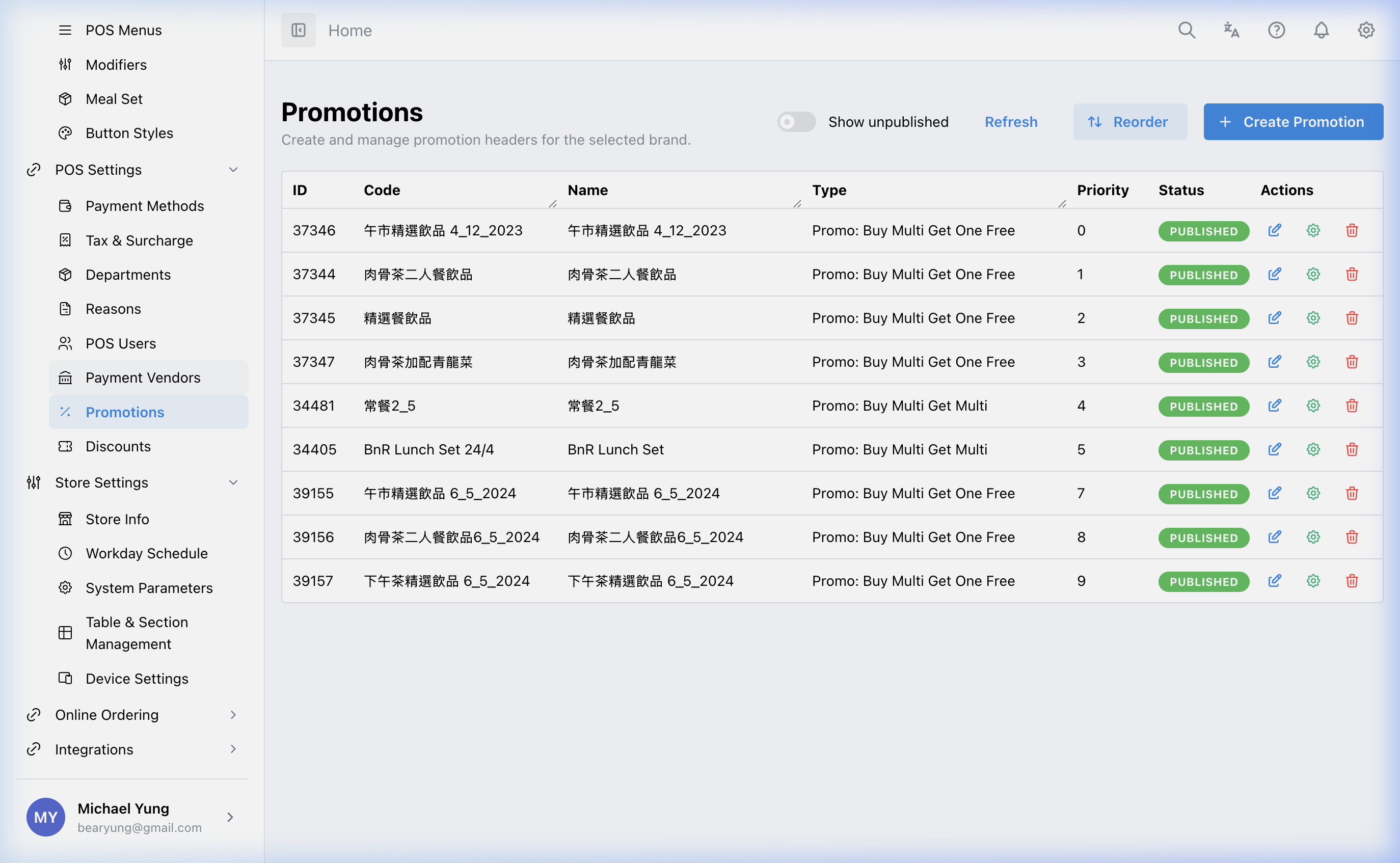
Main sections
Promotion type
Choose the type that matches the intended offer:
- buy one get one free
- buy multi get one free
- buy multi get multi
- combo deal fixed discount
- combo deal percentage discount
Basic promotion fields
Common fields include:
- save amount
- priority
- published state
Rules engine
The main record defines the promotion shell. The actual trigger and reward logic is configured in the rule editor.
Use the rule editor to define:
- condition items or categories
- action items or categories
Use the save menu at the bottom of the rule editor to choose:
Save and continue: save the rule and keep the editor openSave and close: save the rule and return to the promotion list
HQ remembers the last save action you chose on this device and uses it for the main save button the next time you open the rule editor.
Needed file: hq/menu-catalog/promotions-rule-editor-save-actions.png
Steps
- Open
POS Settings->Promotions. - Create a new promotion or open an existing one.
- Select the correct promotion type.
- Enter the basic values such as amount and priority.
- Set
Publishedonly when the promotion is ready. - Open the rules editor.
- Configure the condition items or categories.
- Configure the action items or categories.
- Open
Choose save actionbeside the main save button. - Select
Save and continueif you have more rules to review, or selectSave and closewhen you are finished.
What changes after you save
These changes affect automatic discount logic in the selling flow where the promotion is active.
How to check your change
- Reopen the promotion and confirm the type and amount.
- Review the condition and action rules.
- Test a matching cart scenario to confirm the promotion behaves as expected.
If something goes wrong
- Confirm the rule editor was configured, not just the shell record.
- If the editor closes when you expected to continue, open
Choose save actionand selectSave and continuefor the next save. - Check whether the condition items are too broad or too narrow.
- Review promotion priority if more than one promotion can apply.
When to ask owner/admin
- The promotion affects live pricing in active shops.
- You are unsure whether the offer should be a promotion or a manual discount.