Marketplace
Who this is for
Admins who need to browse, subscribe to, or understand optional X1 features and integrations.
Before you start
- Confirm the correct brand.
- Decide whether you are browsing new options or managing an already subscribed product.
Open this page
Open Marketplace.
What this page is for
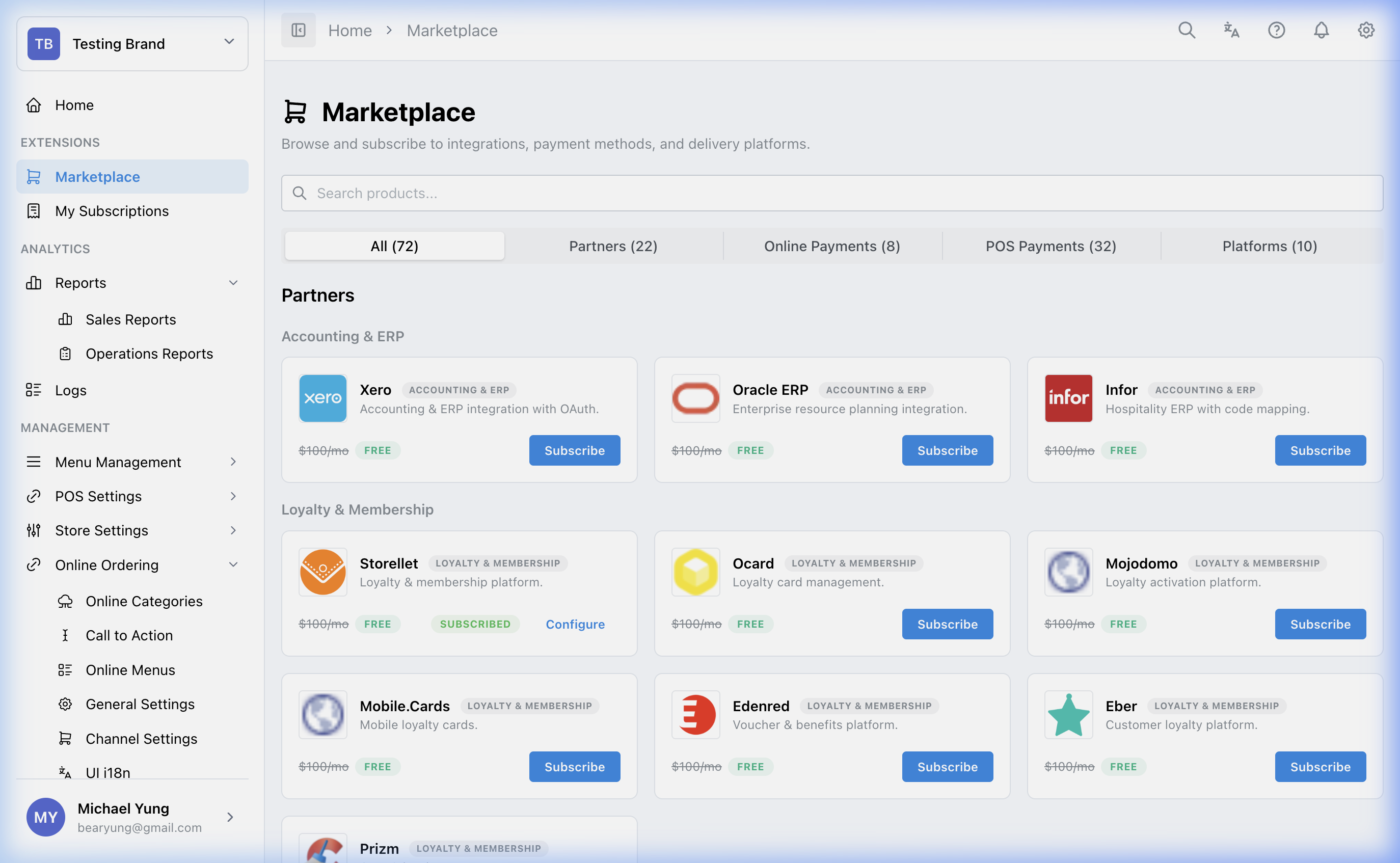
Marketplace is X1's self-serve extension hub. Use it to browse optional features, integrations, and platform add-ons beyond the base product.
Main sections
Categories
Integration Partners: partner connections such as accounting, loyalty, CRM, reservation, or inventory services.Payment Methods: online payment methods used by the storefront.POS Payments: POS-side payment vendors and gateway connections.3rd Party Platforms: delivery and integration platforms such asDeliveroo,Foodpanda,Deliverect,HKIA,HongYip, orDongDong 動動板.
Related pages
- My Subscriptions: manage products you already use from the top-level sidebar item.
- Billing: review plan and billing status from the top-level sidebar item.
- 3rd Party Platforms: configure subscribed online-ordering platforms for one store.
Steps
- Open
Marketplace. - Browse or search for the product you need.
- Confirm the product category matches your task.
- Select
Subscribe. - If the product later shows
Configure, open that setup page. - If you subscribed to a
3rd Party Platformsproduct, continue in General Settings and 3rd Party Platforms.
What changes after you save
Subscribing makes the product available for follow-up setup, but the next step depends on the product type.
- some products expose
Configuredirectly - some products are configured in another HQ section
3rd Party Platformssubscriptions unlock store-level setup insideOnline Ordering
How to check your change
- Confirm the subscription appears in My Subscriptions.
- Open the related setup page if the product requires configuration.
- If you subscribed to a platform, confirm it appears in
Online Ordering->General Settings->3rd Party Platforms.
If something goes wrong
- Confirm you subscribed under the correct brand.
- Check whether the product requires a separate configuration page after subscription.
- If a platform does not appear in
3rd Party Platforms, refresh the store page and re-check the active brand.
When to ask owner/admin
- The product affects billing, checkout, or live customer channels.
- You are unsure whether another team already uses the same product.