Operations Reports
Managers and operators who need reporting on staff activity, audit events, and non-revenue operational behavior.
Before you start
- Confirm the correct brand and shop scope.
- Decide whether you are investigating staff activity, operational exceptions, or delivery or kitchen behavior.
Open this page
Open Reports -> Operations Reports.
What this page is for
Operations Reports focuses on how the business is being operated, rather than on revenue totals.
Use it to review:
- staff attendance and activity
- discounts, voids, and returns
- deposits
- kitchen timing
- delivery records
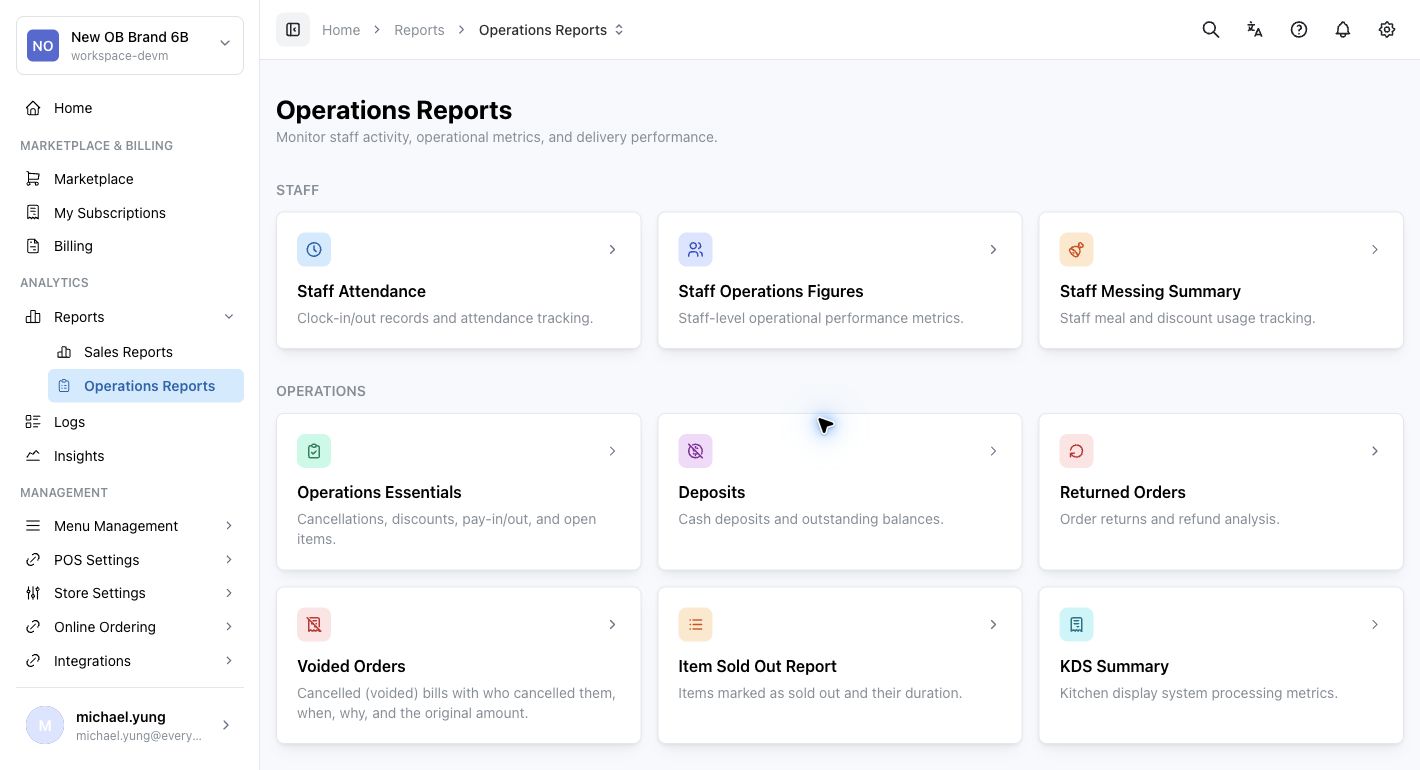
Main report groups
Staff tracking
Use this group for staff time and staff action visibility.
Examples:
Staff AttendanceStaff OperationsStaff Messing
Operations and auditing
Use this group to investigate operational exceptions and internal control concerns.
Examples:
Operations EssentialsDepositsReturned OrdersVoided OrdersItem Sold Out ReportKDS Summary
Delivery and dispatch
Use this group when you need timing and delivery execution detail.
Example:
Delivery Records
How to use this page
Start with the report that matches the operational question:
- use staff reports for people and attendance questions
- use audit-style reports for voids, returned orders, item sold-out records, or deposits
- use kitchen or delivery reports for fulfillment timing questions
Key table actions
Many Operations Reports use the same table tools as Sales Reports.
- Use search to narrow the current report.
- Use sort and column controls to prepare the table for review.
- Select
Export CSVwhen the current filtered table needs to be reviewed outside HQ. - Use
Refreshafter changing the date range or shop scope.
What changes after you save
These reports are mainly for viewing, filtering, and exporting. They do not usually change store behavior, but incorrect scope or date filters can still produce the wrong conclusion.
How to check your result
- Confirm the selected scope.
- Confirm the selected date range.
- If the result looks wrong, compare it against the most closely related report before changing many filters at once.
If something goes wrong
- Check the selected shop or brand.
- Check the selected date range.
- If the issue concerns one operational event, move from summary-style reports into the most detailed report available for that event.
When to ask owner/admin
- The result affects disciplinary, compliance, or loss-prevention decisions.
- You cannot reconcile an operational report with the related sales or audit records.