More Tools
Who this is for
Managers and authorized staff performing operational controls.
Before you start
- You are signed in with required role rights
- Store policy allows manager-tool actions on this terminal
- Your POS user group includes the tool permission, or a manager is available to authorize it
What this screen is for
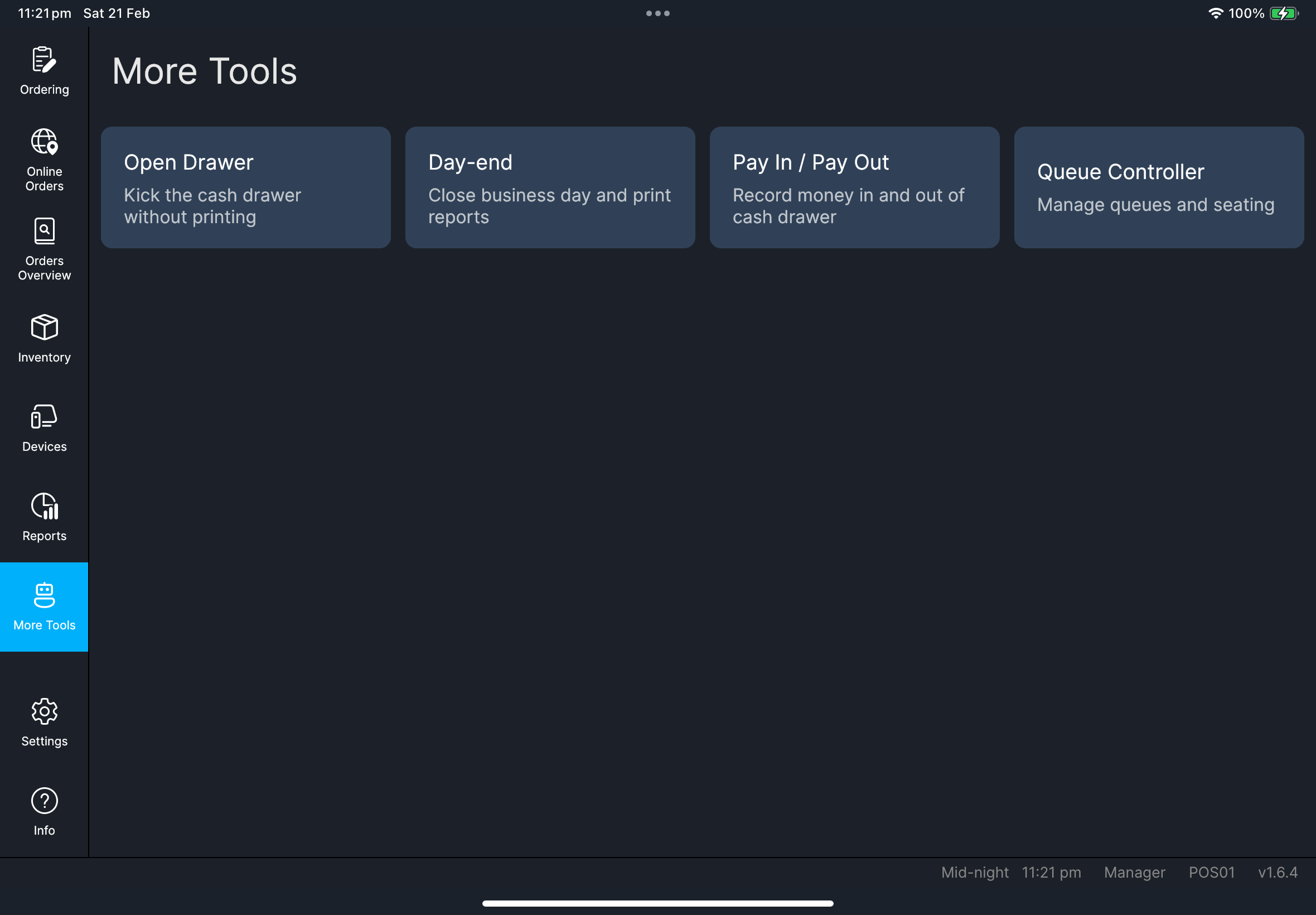
More Tools is the manager operations hub.
Scope boundary
More Tools is for manager operational controls (Day-end, Pay In / Pay Out, drawer/queue tools).
For hardware/device setup and printer troubleshooting, use Devices.
Available tools
Open DrawerDay-endPay In / Pay OutReservations(if native booking is enabled)Reset Table Counters(quick-order mode only)Pickup Controller(if enabled)Queue Controller(if enabled)
Steps
- Tap
More Tools. - Select the required tool card.
- Complete the confirmation flow for that tool.
- If POS asks for
Input authorizing staff code, ask an authorized manager or staff member to enter their own code.
What you should see
If something goes wrong
Card is missing
Some tools are role/platform/configuration dependent.
Permission deniedYour POS user group does not allow that action. Ask a manager/admin to review your group in HQ POS Users.
When to ask manager/admin
- Tool access is blocked by permissions
- Quick-order/pickup/queue controls do not match store setup