Refunds and Voids
Who this is for
Shift managers and authorized staff handling post-order corrections.
Before you start
- Confirm the target transaction number
- Confirm with customer/store policy
- Know whether transaction is in-progress or completed
Choose the correct action
- Void in-progress txn
- Return completed txn
- Open the in-progress order.
- Tap function menu (three dots).
- In
Select Function, tapVoid Txn. - If
Void Txnis on another page, tapPreviousorNext. - Confirm
Confirm to void the Txn?. - Complete required reason selection.
- Open
Orders Overviewand select completed transaction. - Tap
Return. - Confirm
Confirm to return the Txn?. - Complete refund payment steps.
What you should see
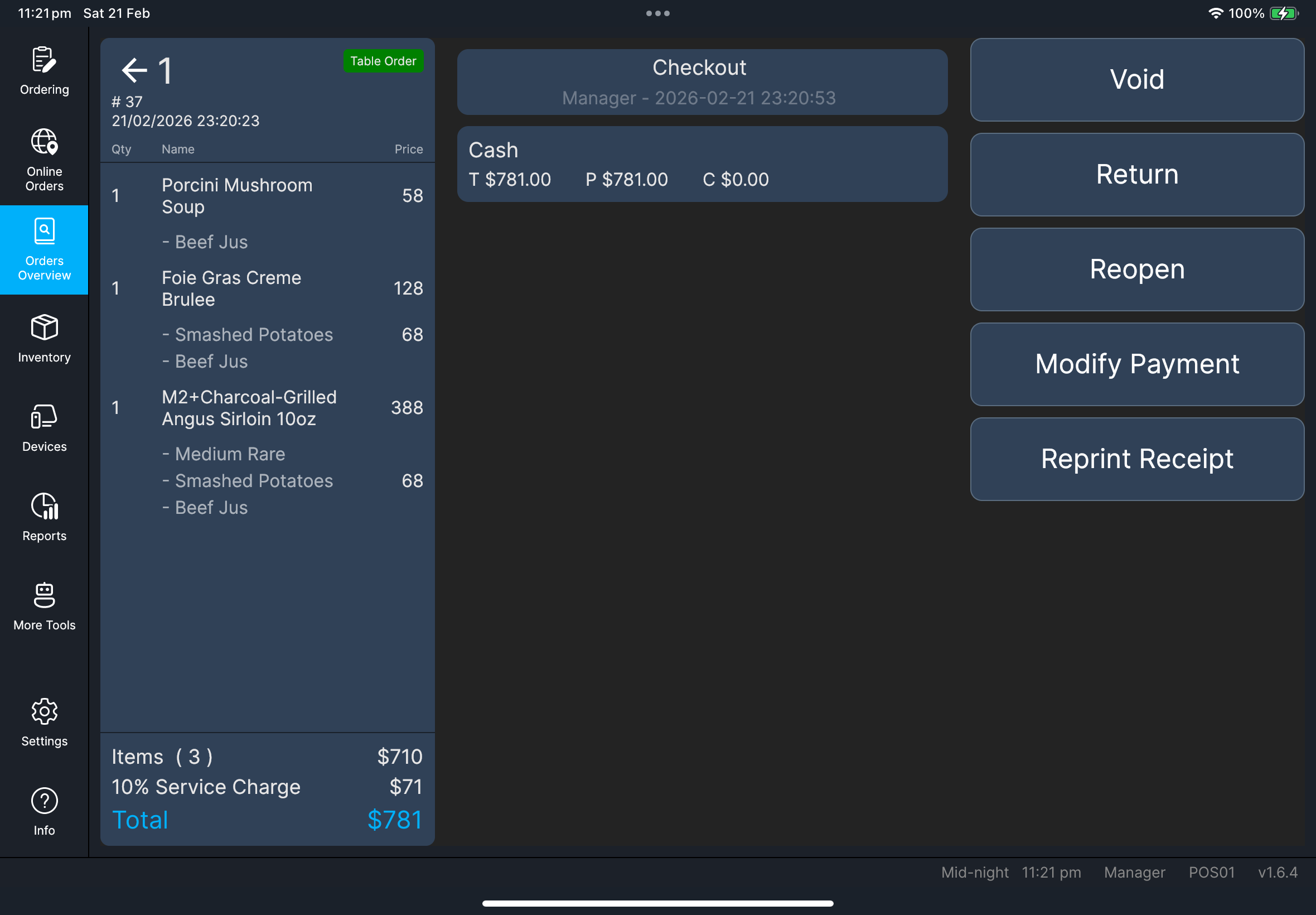
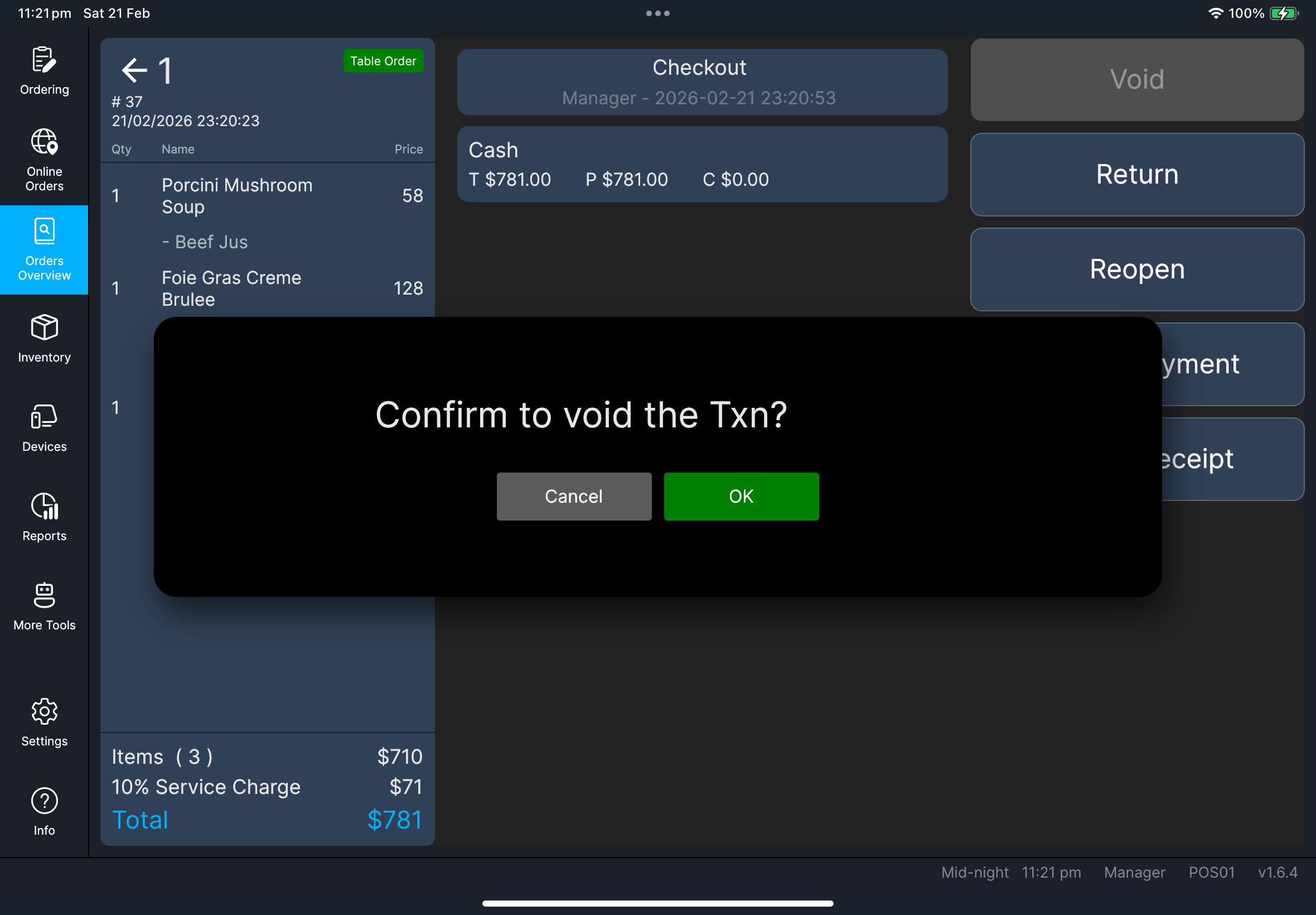
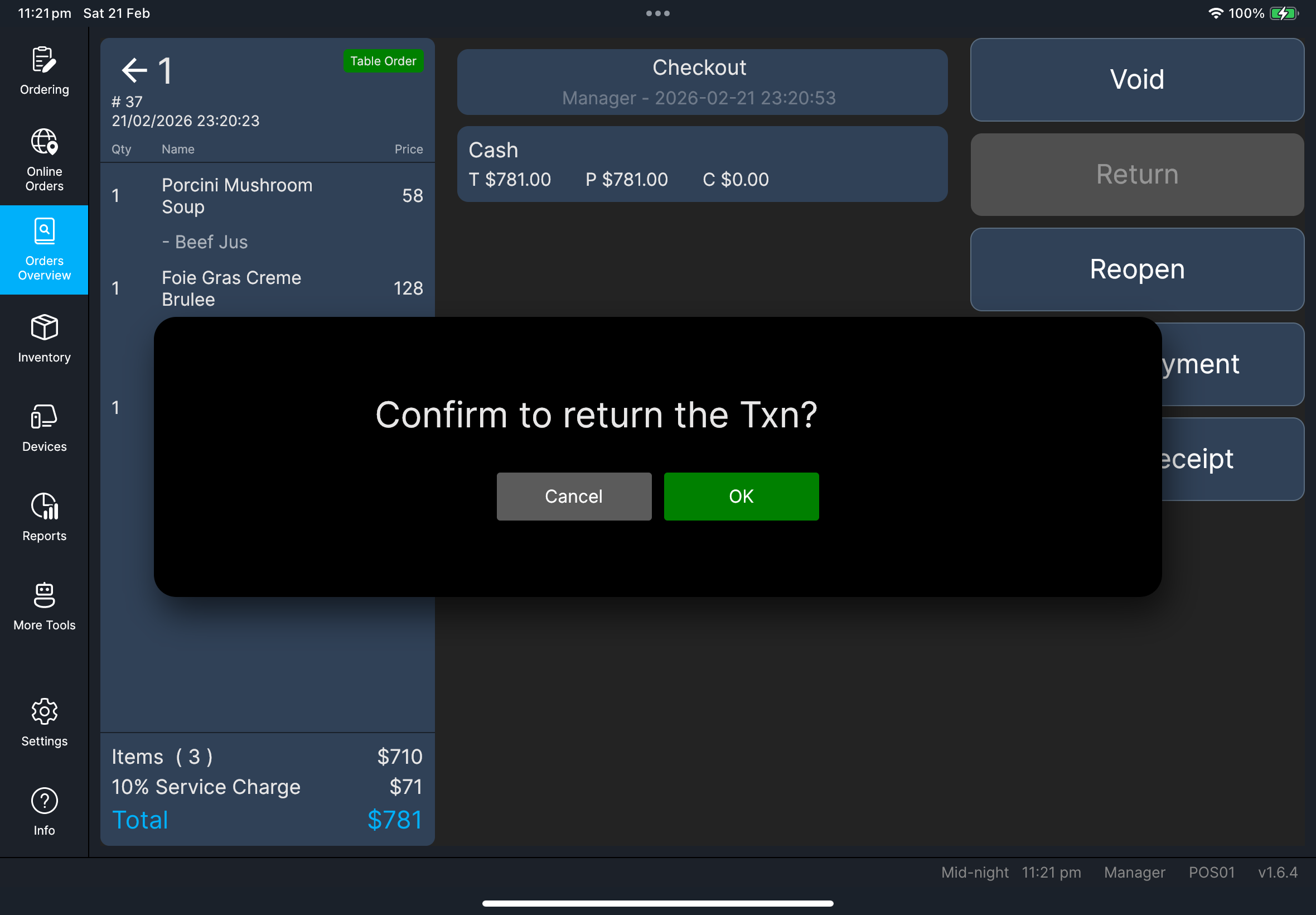
If something goes wrong
Void is blockedSend/clear pending edits first, then retry.
Modify Payment restrictionsSome third-party linked payments cannot be fully modified.
Use Return flow when store policy requires a true reversal.
Screenshot pending:
cl-22-modify-payment-3rdparty-warning.png
Do and don't
Do
Use Void for in-progress transactions, and use Return for completed transactions.
Don't
Do not use repeated blind retries when payment status is unclear.
When to ask manager/admin
- High-value or exception refunds
- Third-party payment modification restrictions
- Policy conflicts on void/return decisions