Checkout and Payments
Who this is for
Cashiers collecting payment, plus managers handling special payment cases.
Before you start
- Order is ready for payment
- Customer confirms how they want to pay
- You are on checkout screen
- You know whether
Round For Cash Onlyis enabled inSettings->System
Choose the right payment mode
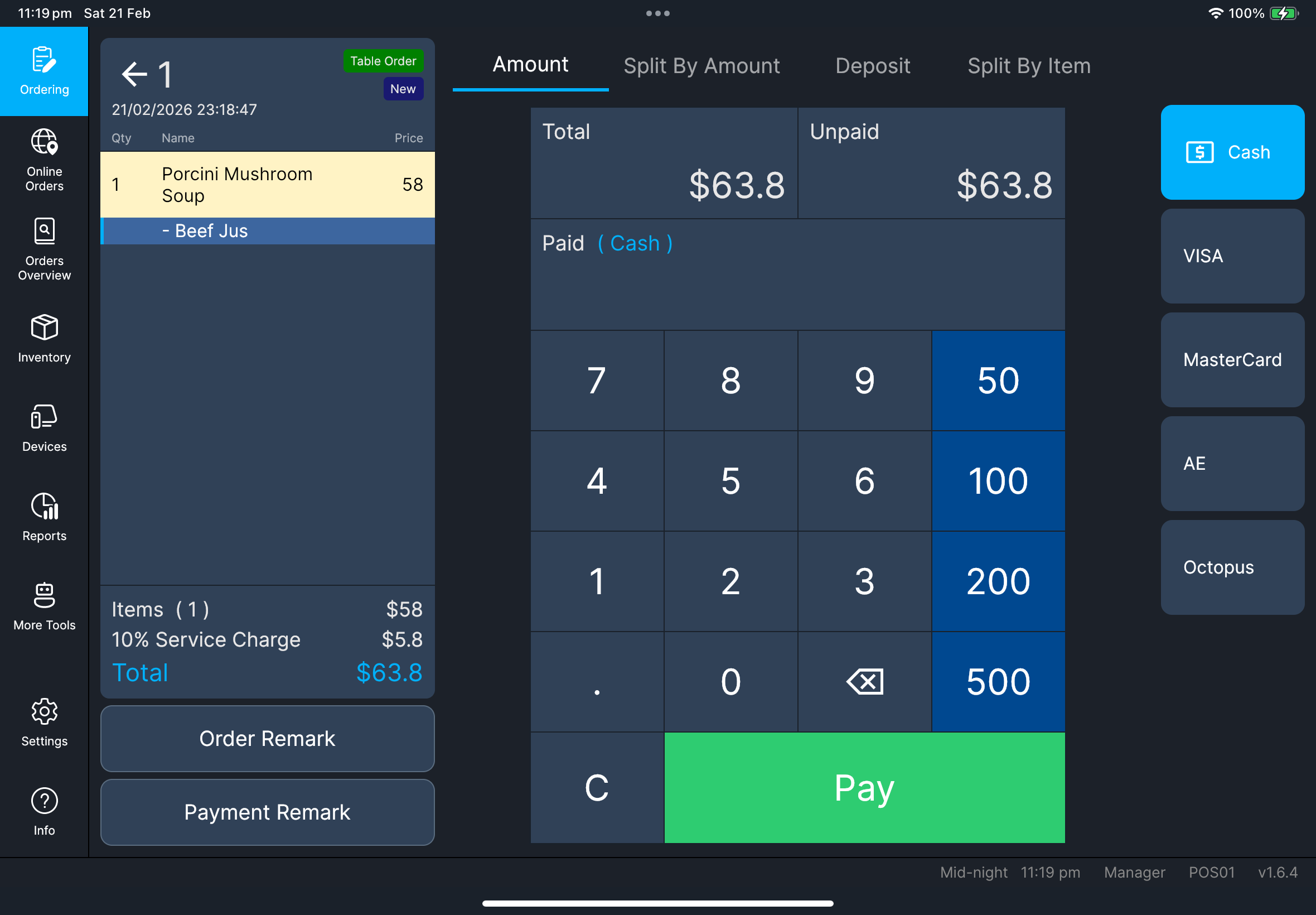
- Amount (single/normal)
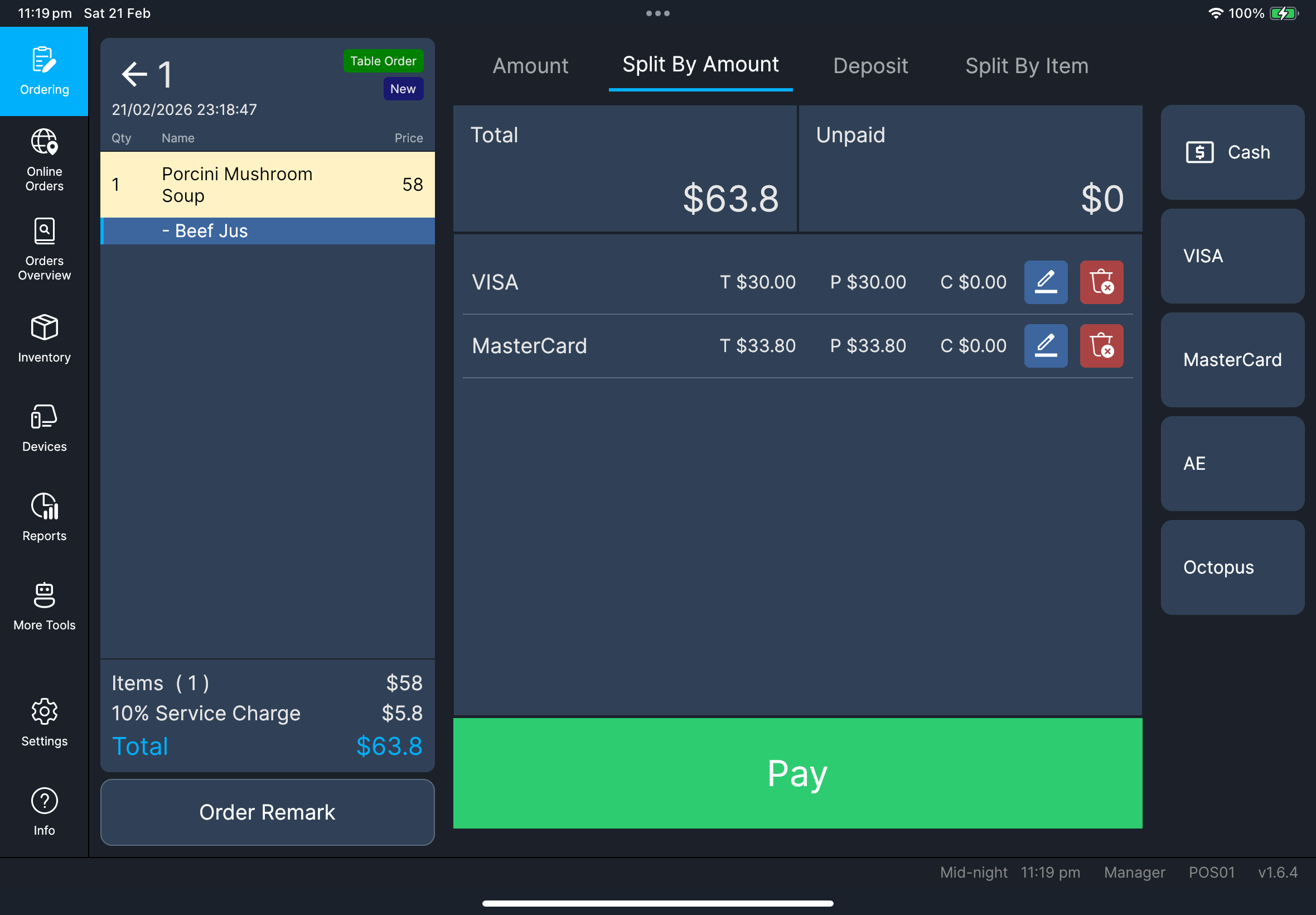
- Split By Amount
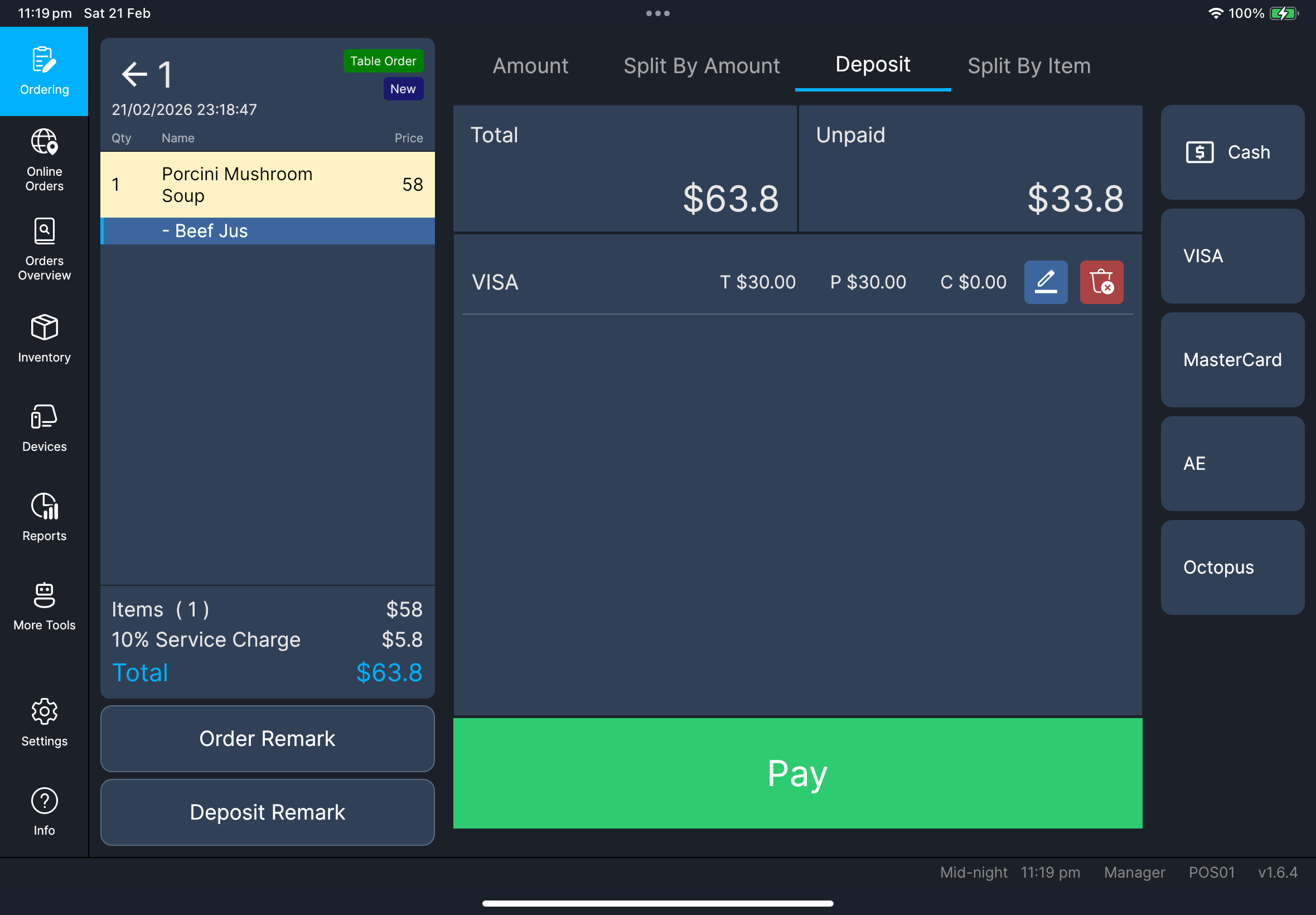
- Deposit
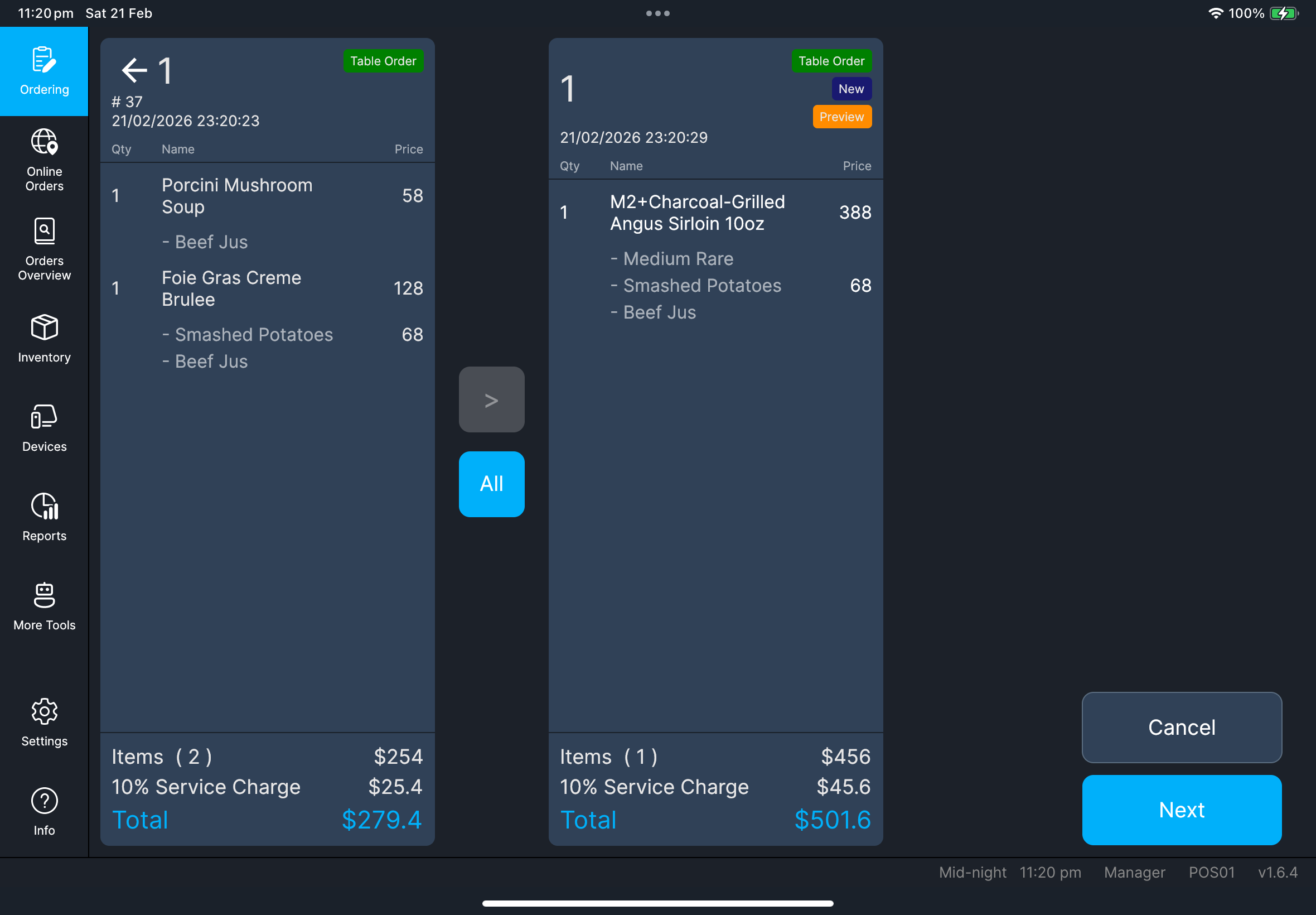
- Split By Item
- Stay on
Amount. - Select payment method.
- If the method is not visible, tap
More, then choose it inPayment Methods. - If
Payment Methodsshows many choices, tapPreviousorNextto move between pages. - Enter amount, then tap
Pay. - Confirm payment line updates correctly.
- Tap
Split By Amount. - Add first partial payment and method.
- Add remaining payment(s) until
Unpaidbecomes zero. - Tap
Pay.
- Tap
Deposit. - Select method and amount.
- Fill
Deposit Remarkif required. - Tap
Pay.
- Tap
Split By Item. - Move items with
>orAll. - Tap
Next. - Complete payment for each split order.
Split By Item with unsent items
You can start Split By Item checkout even when some order lines are not yet sent.
Cash-only rounding behavior
When Round For Cash Only is enabled, rounding is applied only when cash is part of the current checkout payment.
Add remarks when required
- Select the payment method you will use.
- Tap the edit button beside
Paidto enterPayment Remark. - Enter the remark, then confirm before you finish payment.
- For
Deposit, tapDeposit RemarkbeforePay. - Confirm the remark is saved before you complete checkout.
Screenshot pending
Needed file: client/cl-44-checkout-payment-remark-edit-button.png
What you should see
Roundingand total values refresh after modifier/discount changes during checkout- The
Paidsummary area shows an edit button forPayment Remark
If something goes wrong
Payment seems stuck
Do not force-close the app while payment is processing.
Payment failed
Retry once only if status is clearly failed/cancelled. If still failing, switch method by store policy.
Table remains locked after leaving checkout
Leave checkout and reopen the order once. If table remains locked, escalate with table code and timestamp.
When to ask manager/admin
- Payment result is unclear (possible duplicate charge risk)
- Third-party linked payment cannot be modified
- Required payment method is blocked by configuration