開班
適用對象
在接第一張訂單前準備終端的收銀員和班次經理。
開始前
- 終端已開機並連線
- 您已備妥登入 PIN 碼
- 至少有一部印表機可供使用
步驟
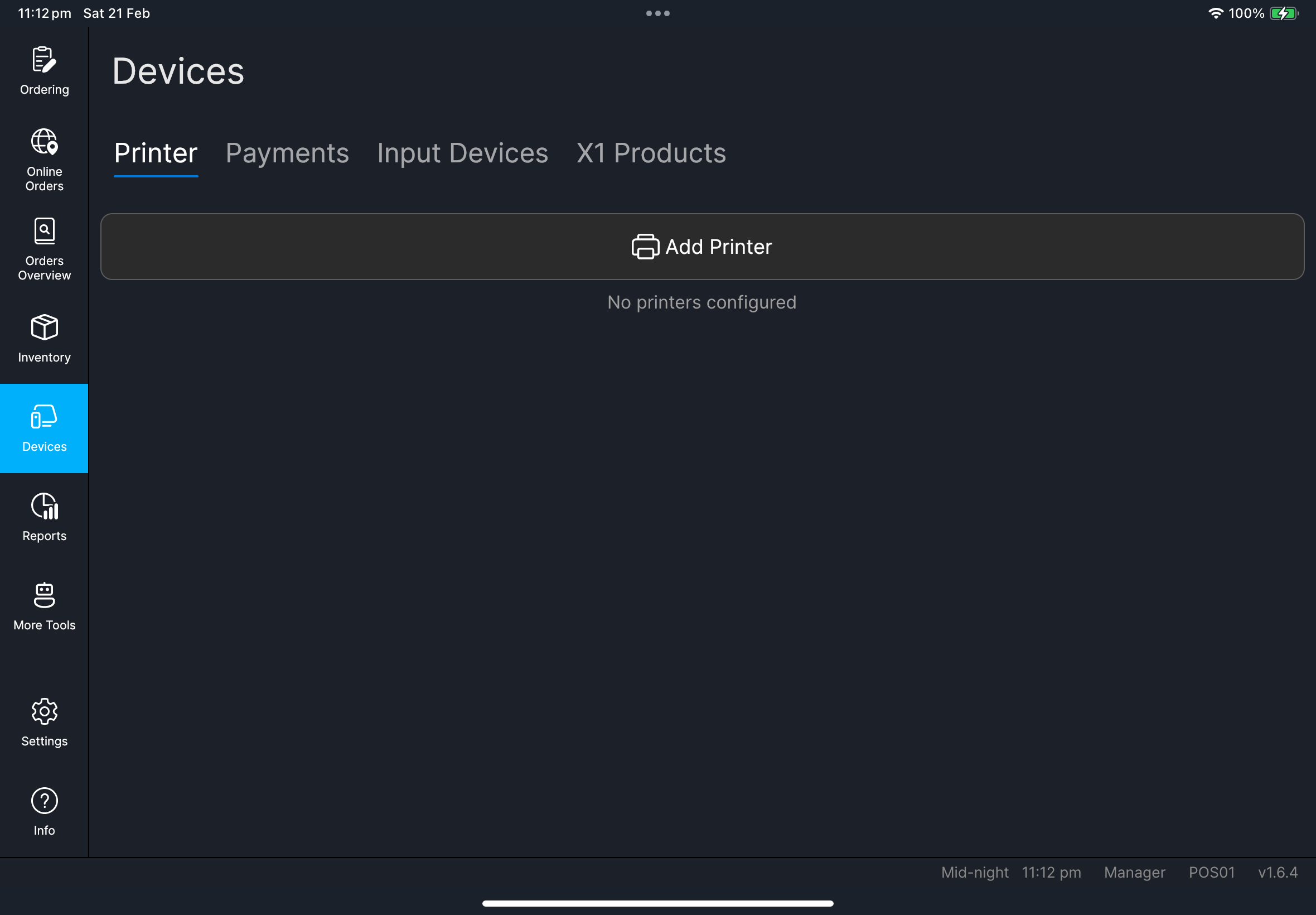
- 輸入您的 PIN,然後按
登入。 - 從左側選單開啟
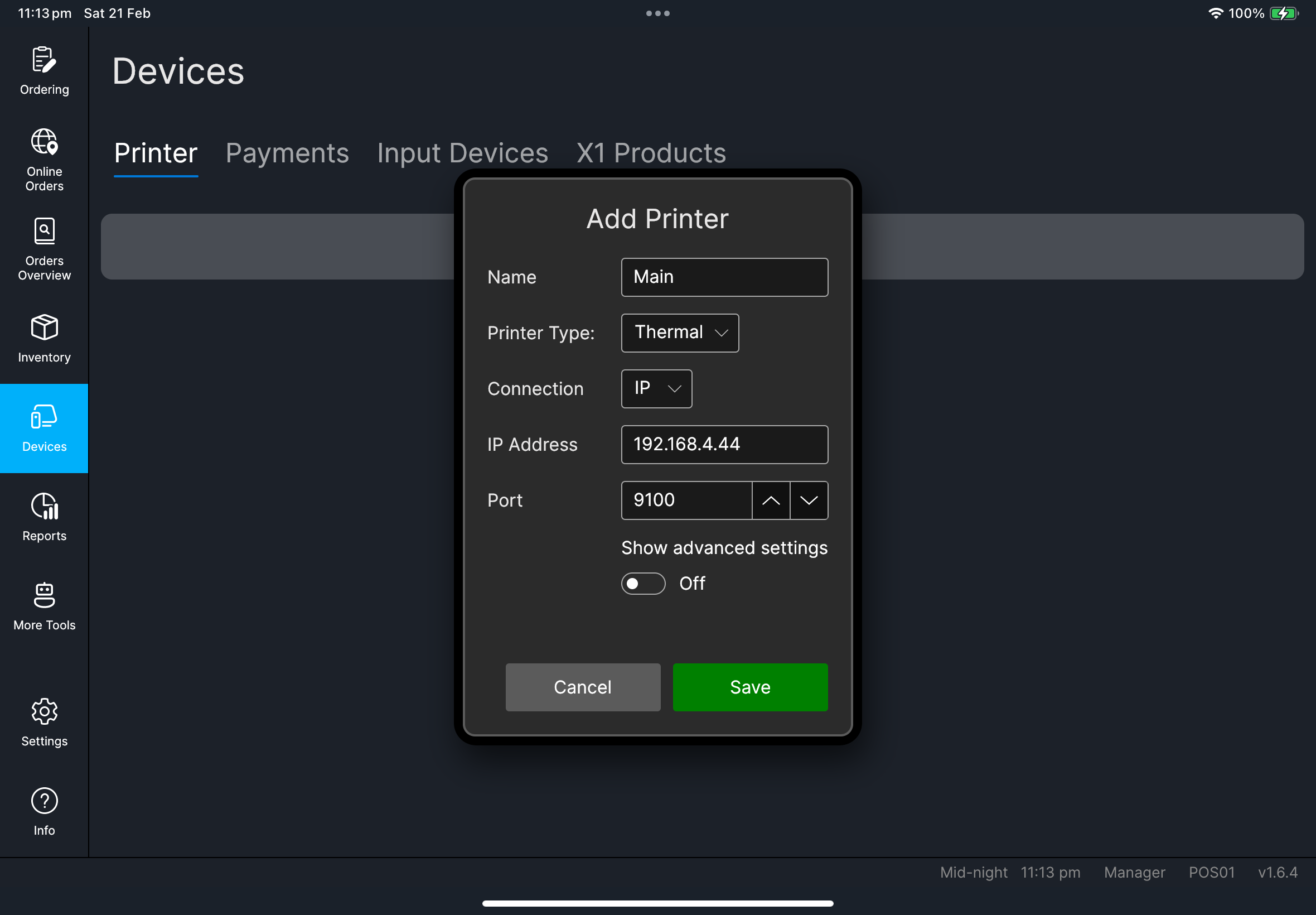
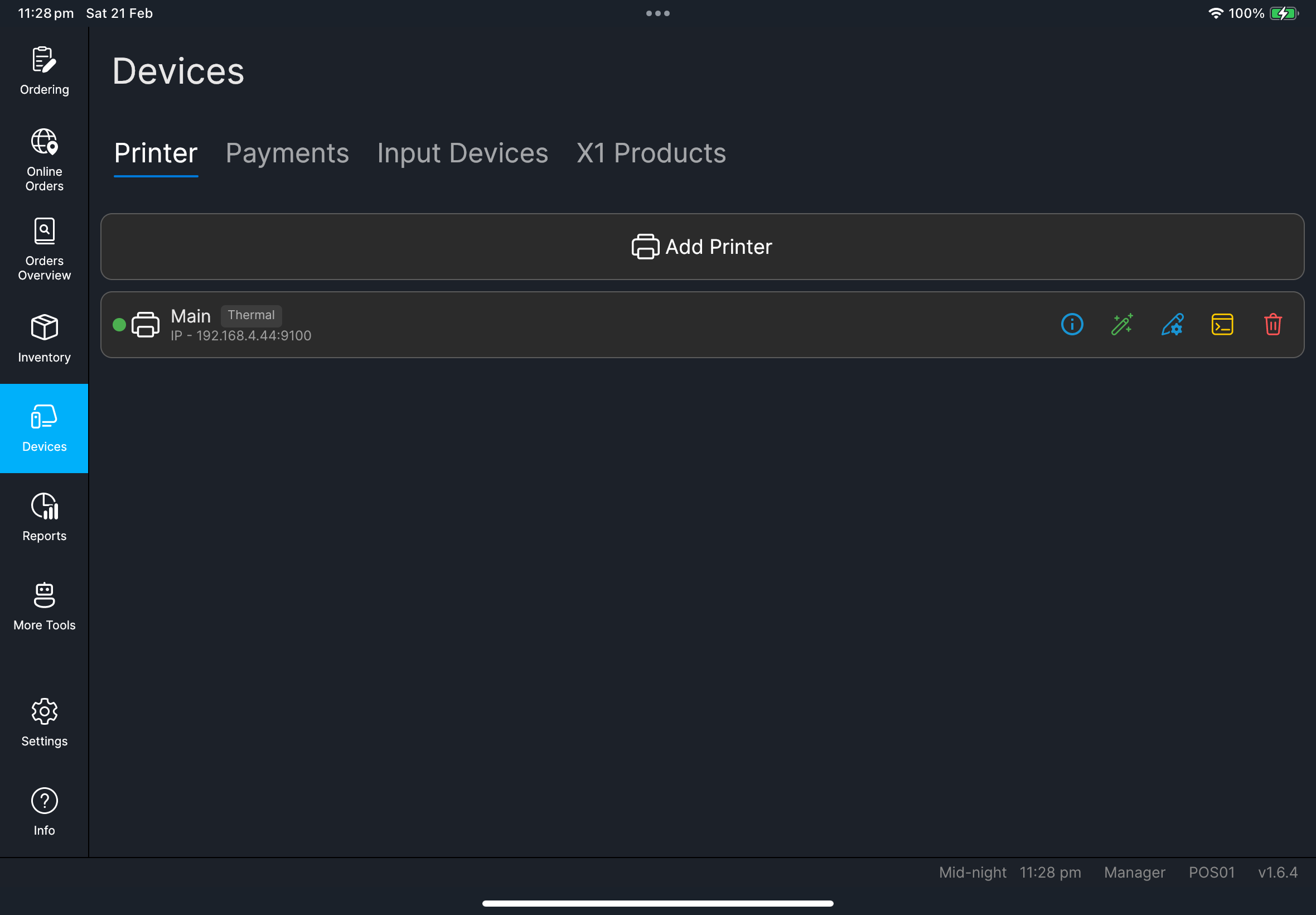
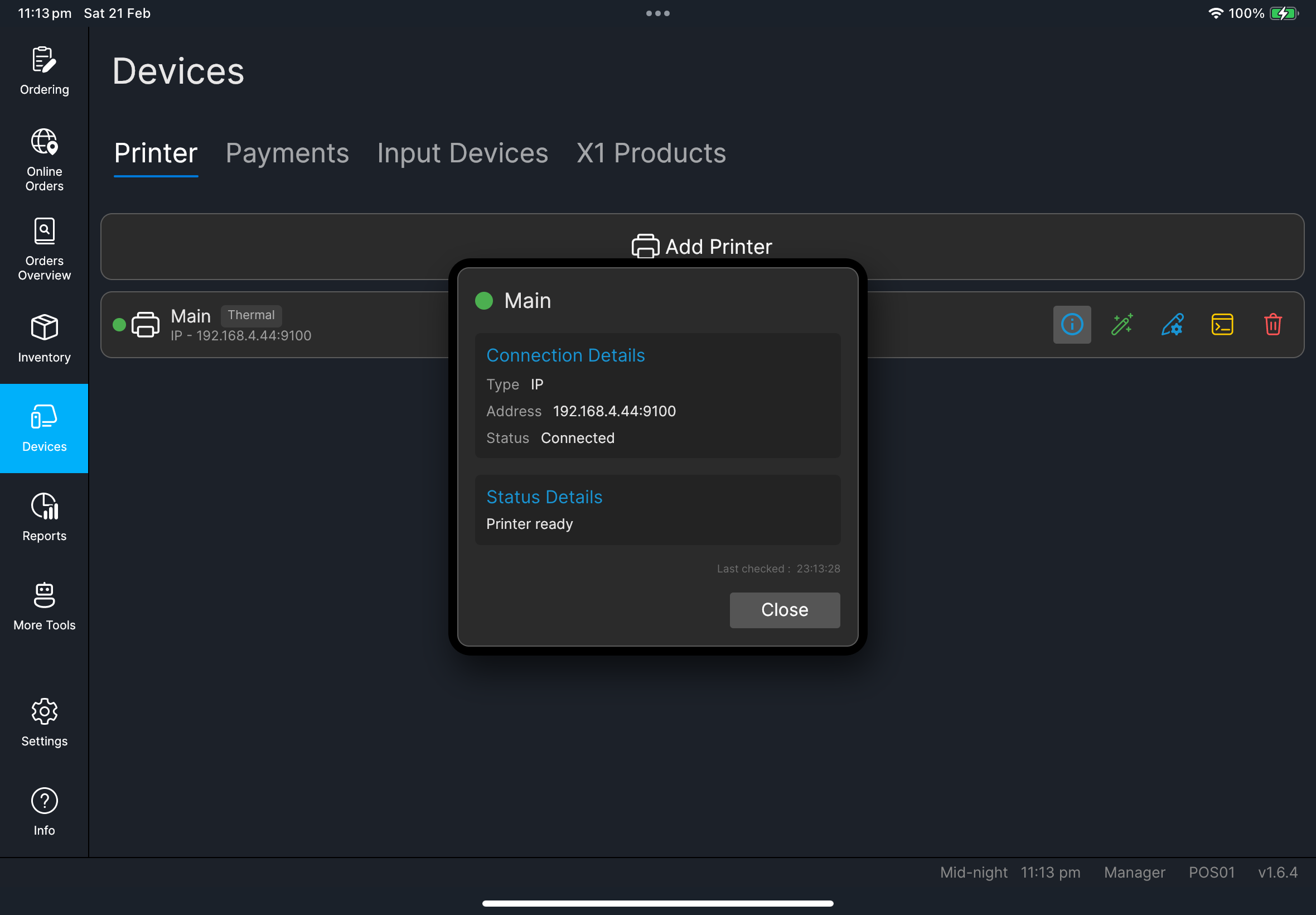
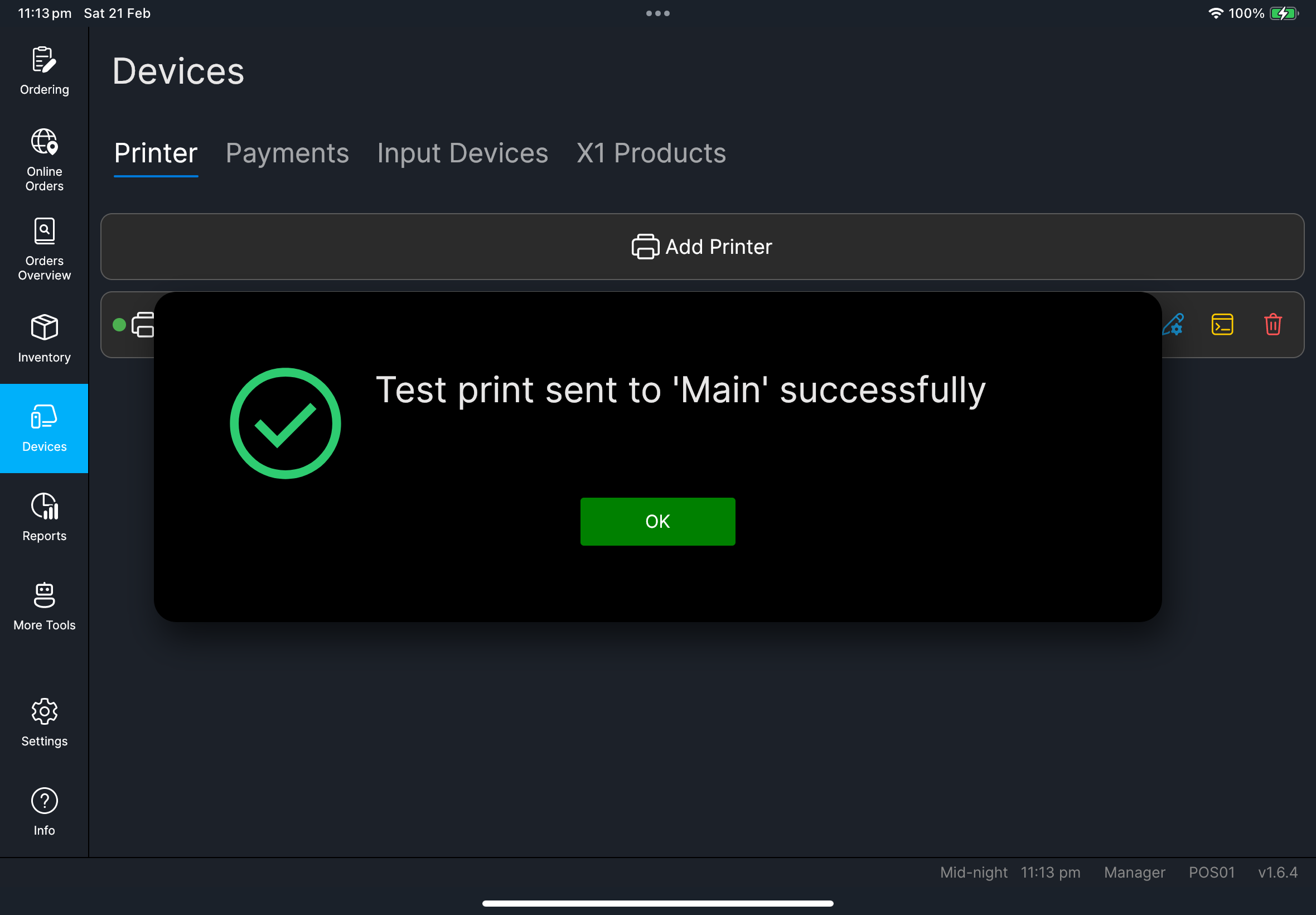
Devices。 - 前往
Printer分頁。 - 在已啟用的印表機上按
Test Print。 - 確認沒有
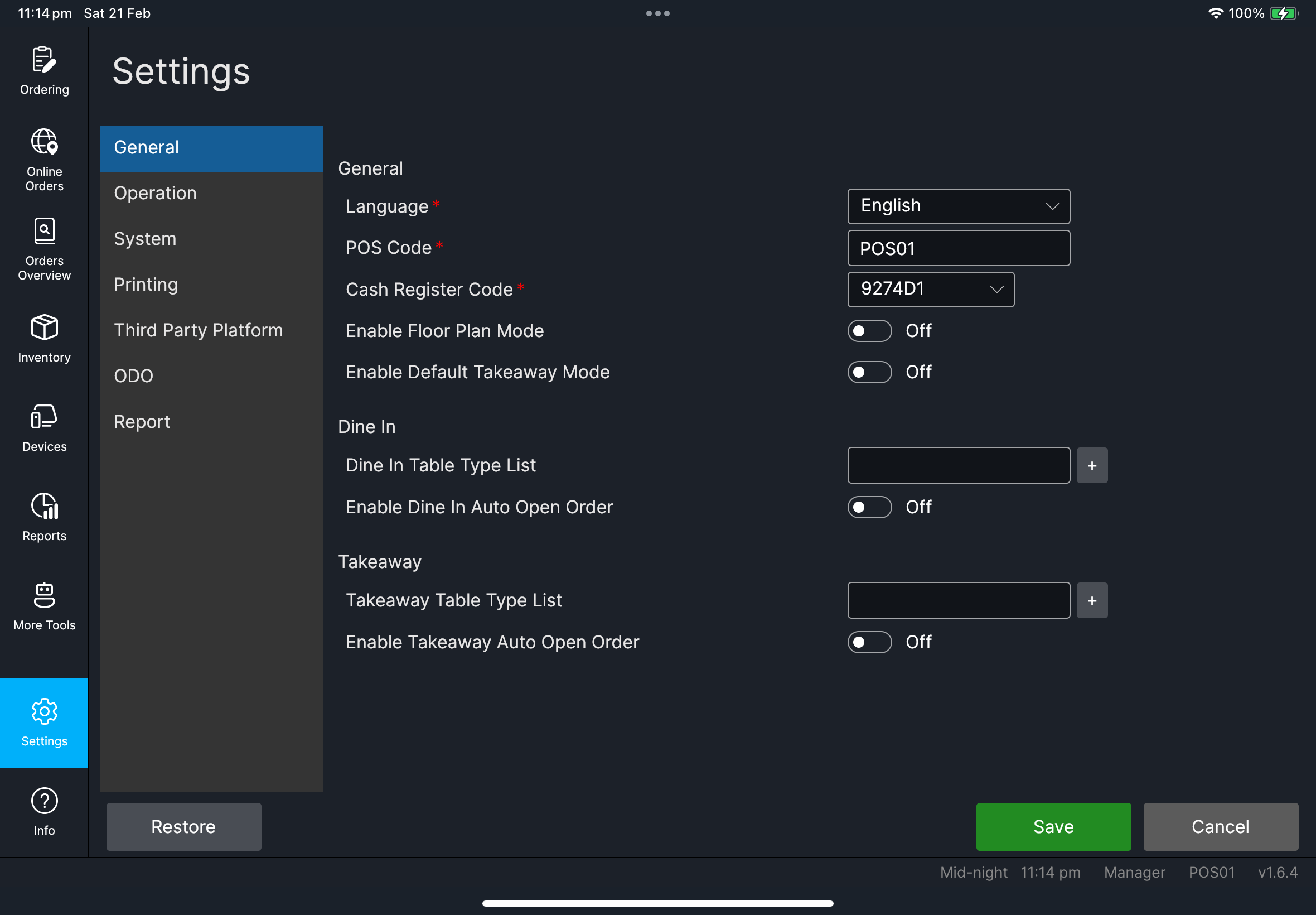
POS Code is required警告。 - 返回
Ordering。
- 有出勤
- 沒有出勤
- 在登入畫面按
出勤。 - 按
上班打卡。 - 繼續正常登入。
- 如果沒有顯示
出勤,請直接繼續正常登入。 - 不需要額外操作。
您會看到
Devices頁面會開啟,印表機狀態正常- 會出現
Test print sent ... successfully訊息 Ordering頁面會正常載入堂食 / 訂單畫面
如果出現問題
POS Code is required請前往 Settings -> General,填寫 POS Code,然後按 Save。
印表機未準備好
先檢查紙張 / 上蓋 / 網絡,再重試 Test Print。
何時需要找經理/管理員
- 您無法編輯設定(
POS Code、系統欄位) - 印表機在本地檢查後仍然失敗
- 登入 / 訂閱警告阻止開班