銷售流程
適用對象
在付款前接單的收銀員。
開始前
- 您已成功登入
- 您已位於
Ordering頁面 - 菜單資料已載入
步驟
- 堂食訂單
- 外賣訂單
- 按
Dine-In。 - 按目標桌台圖示。
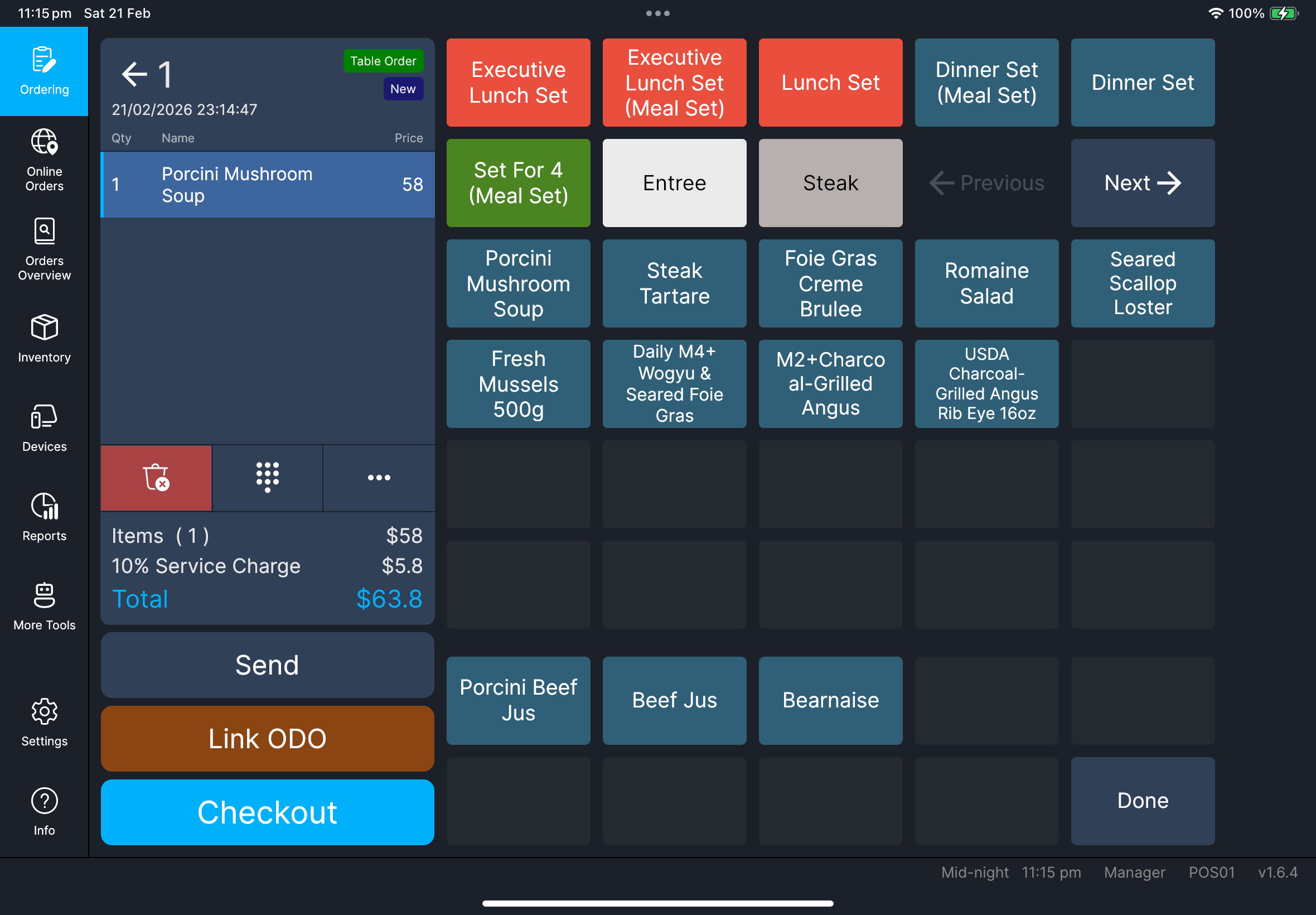
- 加入品項和需要的 modifiers。
- 確認品項已出現在訂單清單。
- 按
Send或按Checkout。
- 按
Takeaway。 - 開啟目標外賣訂單。
- 加入品項和需要的 modifiers。
- 確認品項已出現在訂單清單。
- 按
Send或按Checkout。
外賣聯絡資料
如果您需要在外賣列印單上顯示顧客姓名或電話,請在功能選單使用 訂單聯絡資料。詳見 功能指南。
您會看到
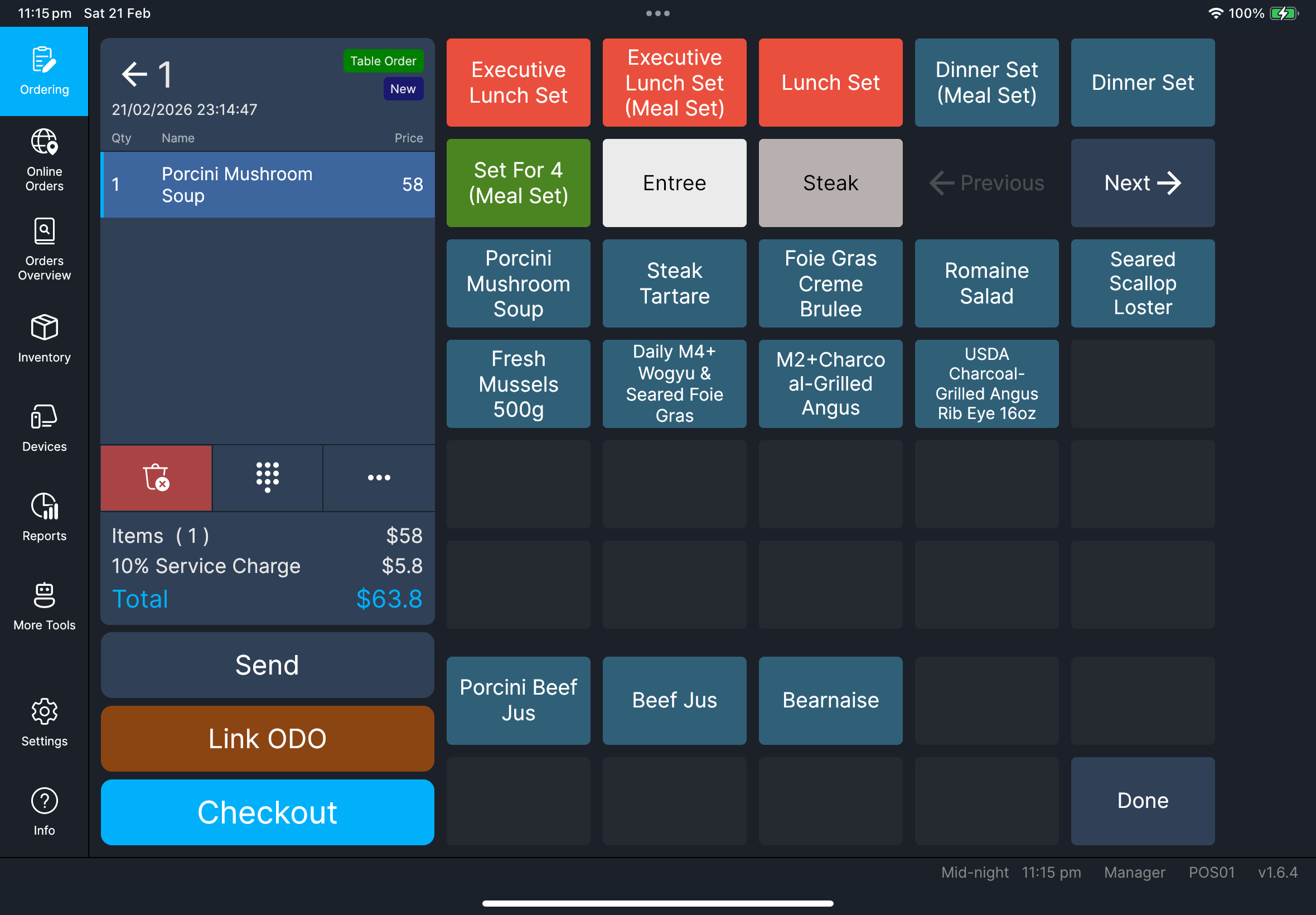
- 每次選擇品項後,數量和行總額都會更新
Send和Checkout操作可用- 品項名稱會依照目前語言和
Settings內的品項名稱對應(Main/Alt)顯示 - 如果商品已連結改碼組別,且 HQ 中該商品的
POS 自動顯示改碼組別已開啟,加入商品後會立即開啟改碼選擇 - 如果商品已連結套餐組別,會開啟套餐選擇,讓員工選擇需要的套餐項目
- 外賣訂單的已儲存聯絡資料會顯示在訂單標題下方
截圖待補
需要檔案:client/cl-41-order-item-name-language-mapping.png
桌台畫面切換
當 Settings 已啟用 樓層平面圖模式 時,堂食桌台畫面右下角會出現圓形切換按鈕:
- 方格圖示:切換到
Table List - 地圖圖示:切換到
樓層平面圖
這樣可以讓員工不用離開點餐流程,也能快速切換版面。
截圖待補
需要檔案:client/cl-37-ordering-table-view-toggle-floorplan-tablelist.png
功能選單(需要時)
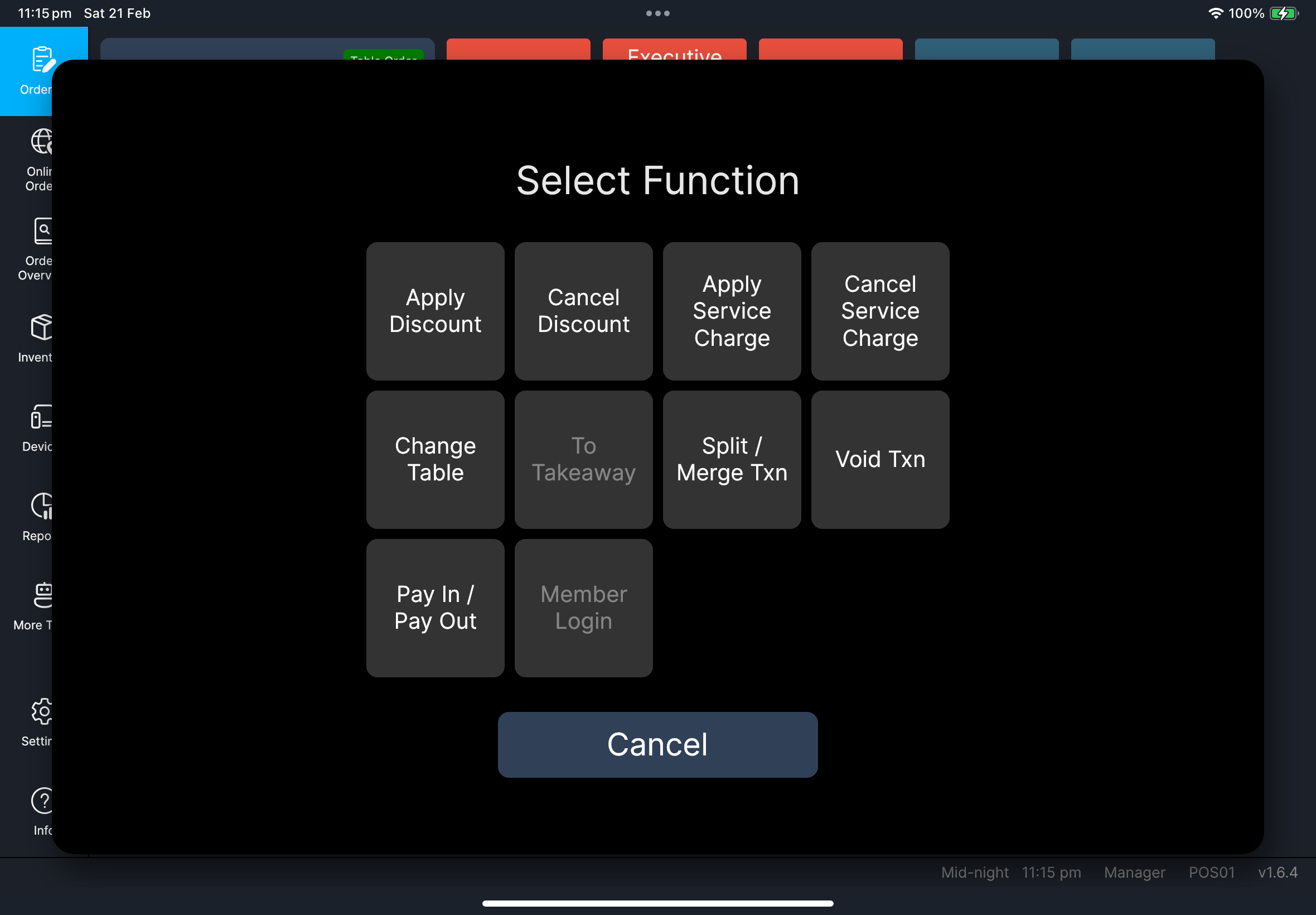
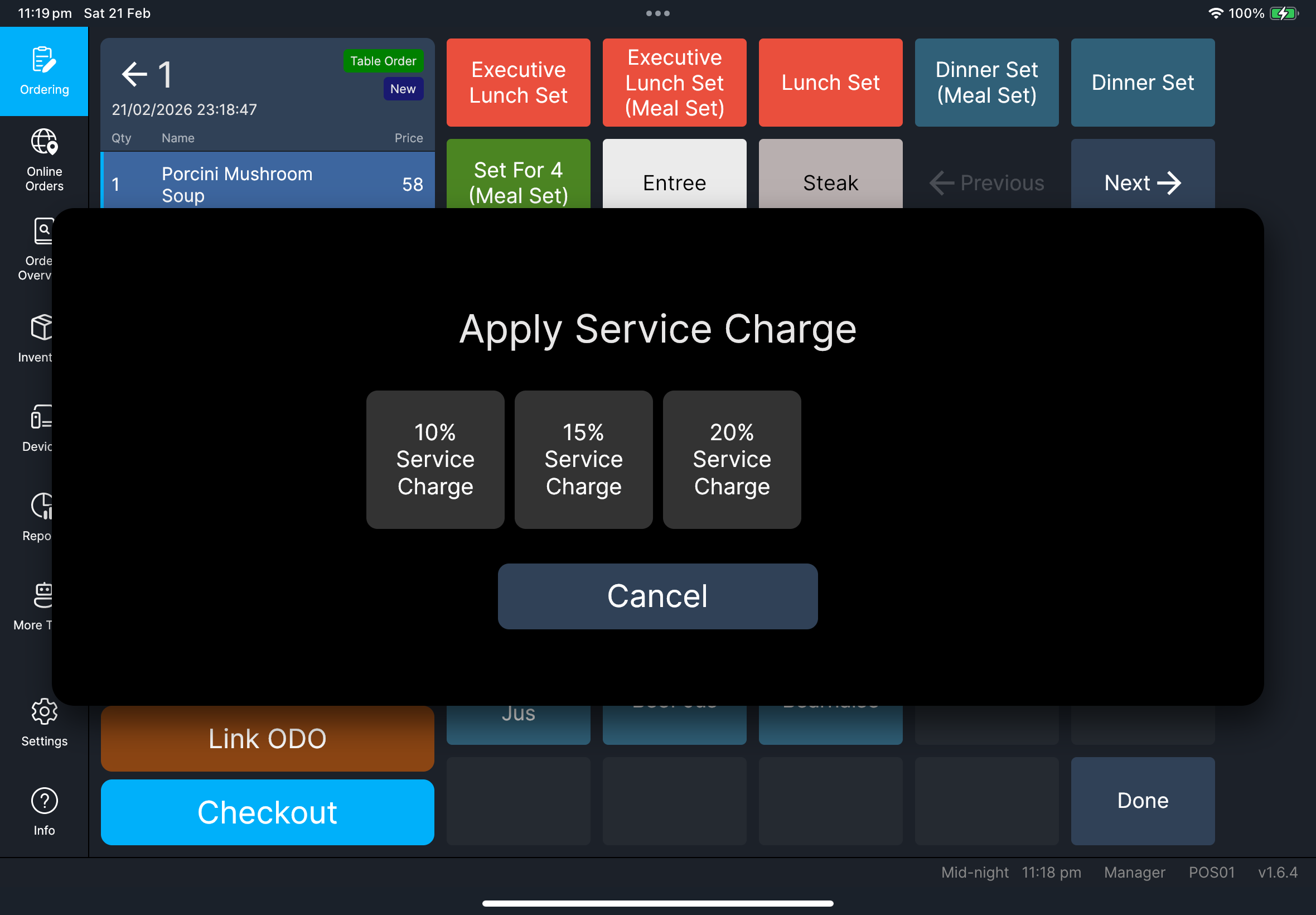
按三點功能按鈕開啟 選擇功能。
如果您設定了很多功能,選擇功能 可能會顯示 上一頁 和 下一頁 方塊,方便您翻頁。
按三點功能按鈕可使用:
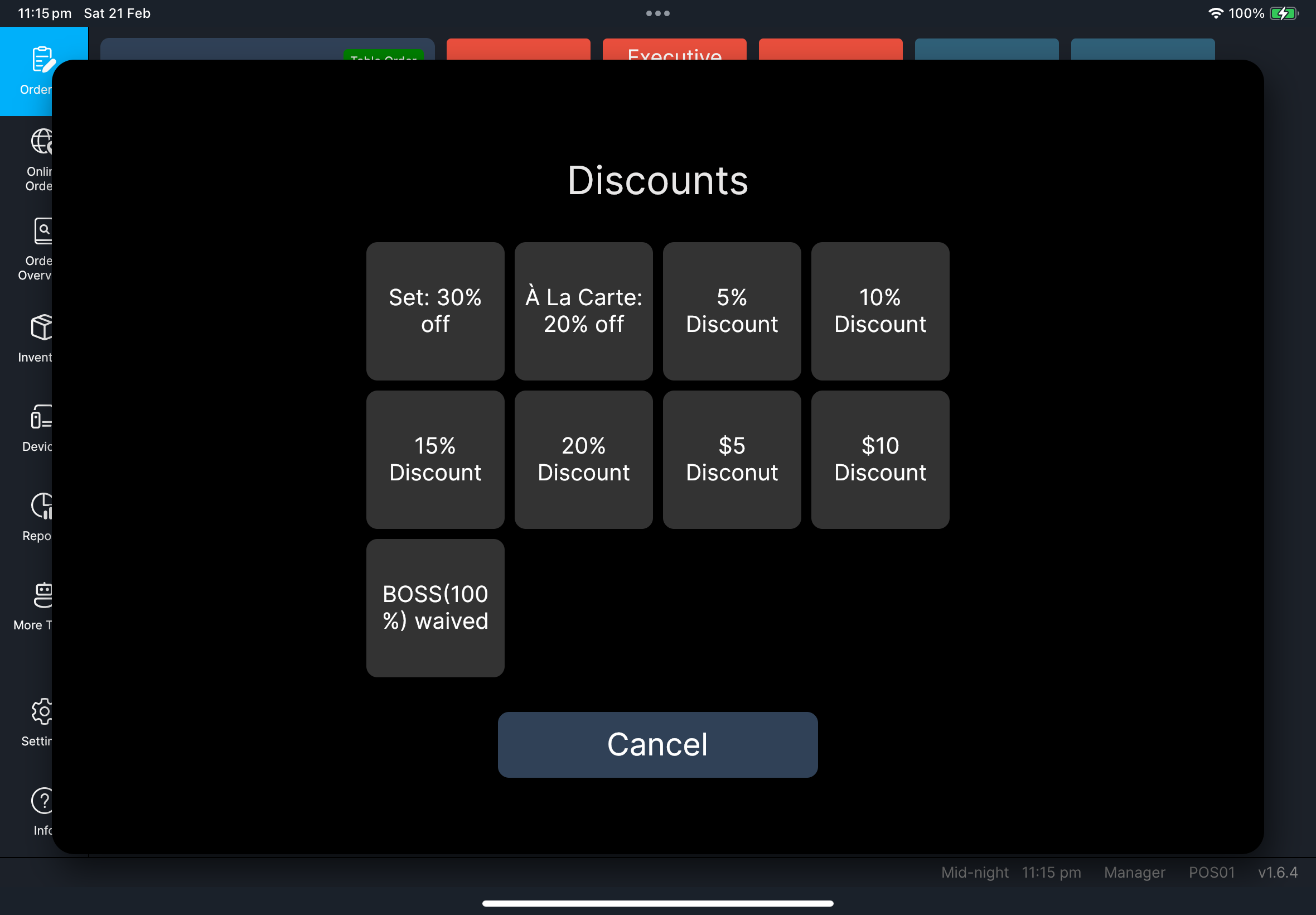
Apply DiscountCancel DiscountApply Service ChargeCancel Service ChargeChange TableOrder ContactOrder RemarkTo Dine-In/To TakeawaySplit / Merge TxnVoid TxnPay In / Pay OutMember Login八達通結算(啟用 Octopus V3 且讀卡器可用時)
相關詳細指南:
Apply Discount:功能指南Apply Service Charge:功能指南Change Table:功能指南Order Contact:功能指南To Dine-In/To Takeaway:功能指南Split / Merge Txn:功能指南Member Login:功能指南Pay In / Pay Out:功能指南八達通結算:功能指南
加入訂單備註
- 按三點功能按鈕。
- 在
選擇功能中按Order Remark。 - 如果
Order Remark在其他頁,按上一頁或下一頁。 - 輸入備註,然後確認。
- 確認備註已顯示在訂單標題下方。
- 如果您需要再次編輯,按備註旁邊的鉛筆圖示。
截圖待補
需要檔案:client/cl-42-select-function-dialog-pagination.png
截圖待補
需要檔案:client/cl-43-order-remark-display-edit.png
如果出現問題
無法分拆 / 合併或作廢
先送出尚未處理的品項,再重試。
選錯桌台
結賬前可先在功能選單使用 Change Table。
改碼或套餐提示沒有出現
請選擇商品列,確認是否可以手動調整改碼。如果提示仍然不正確,請經理/管理員在 HQ 檢查該商品的 管理關聯 設定和 POS 自動顯示改碼組別。
何時需要找經理/管理員
- 作廢 / 退回需要經理政策批准
- 折扣 / 服務費選項不見了,但應該可用
- 訂單行為與門店規則不一致