开班
适用对象
收银员和班次经理,在接第一单前准备终端。
开始前
- 终端已开机并联网
- 你知道登录 PIN
- 至少有一台打印机可用
步骤
- 输入 PIN,然后点击
登录。 - 在左侧菜单打开
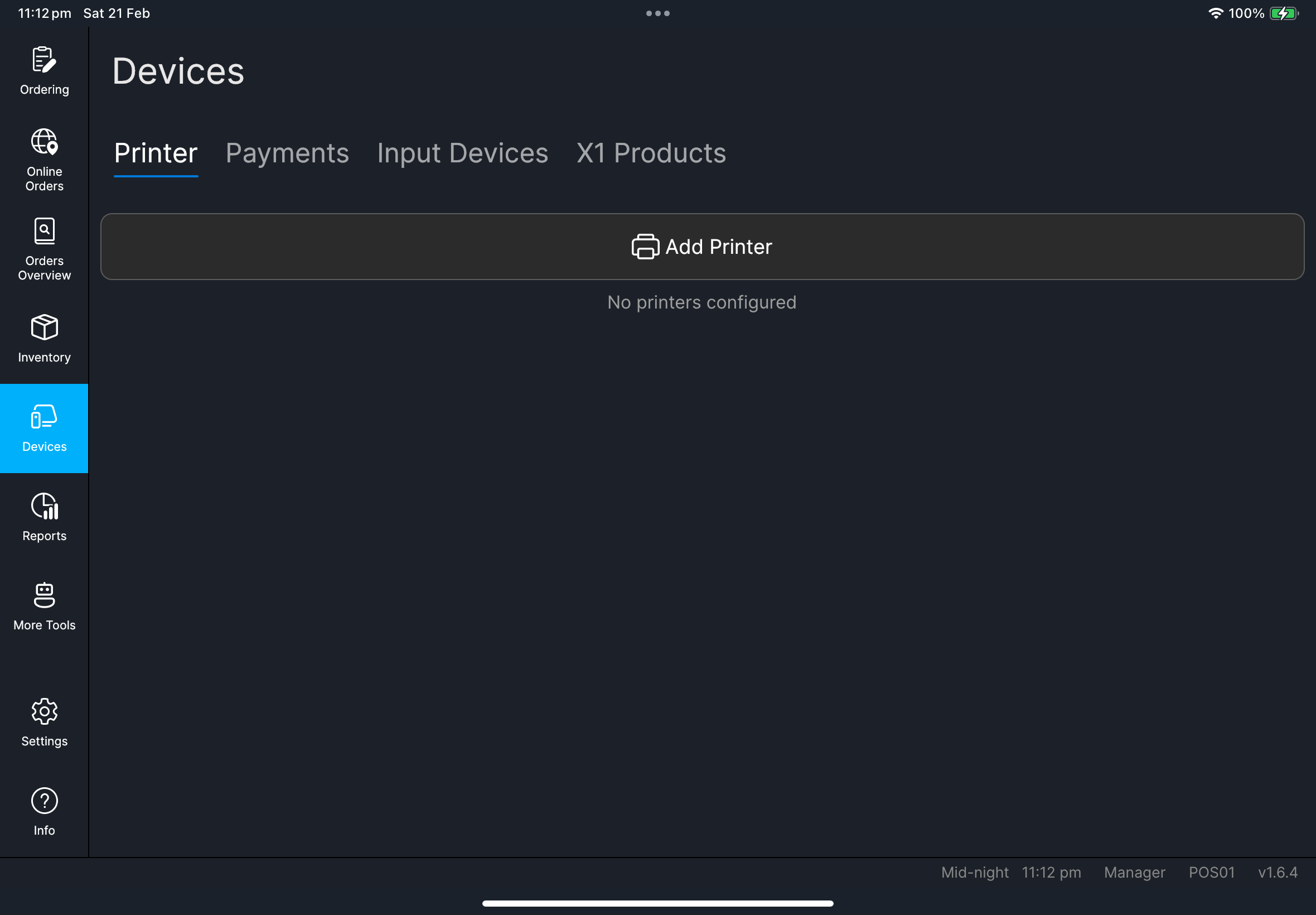
设备。 - 进入
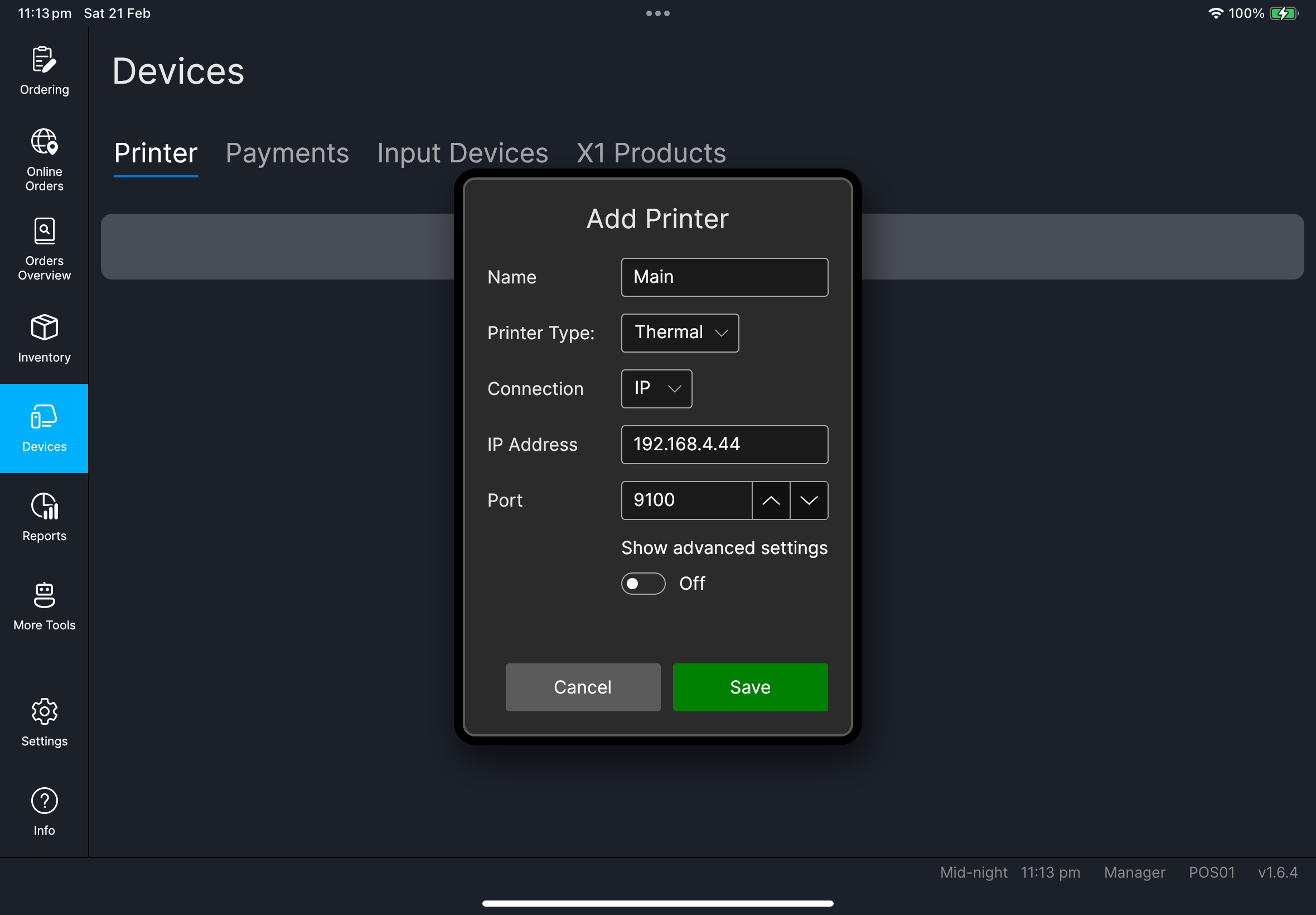
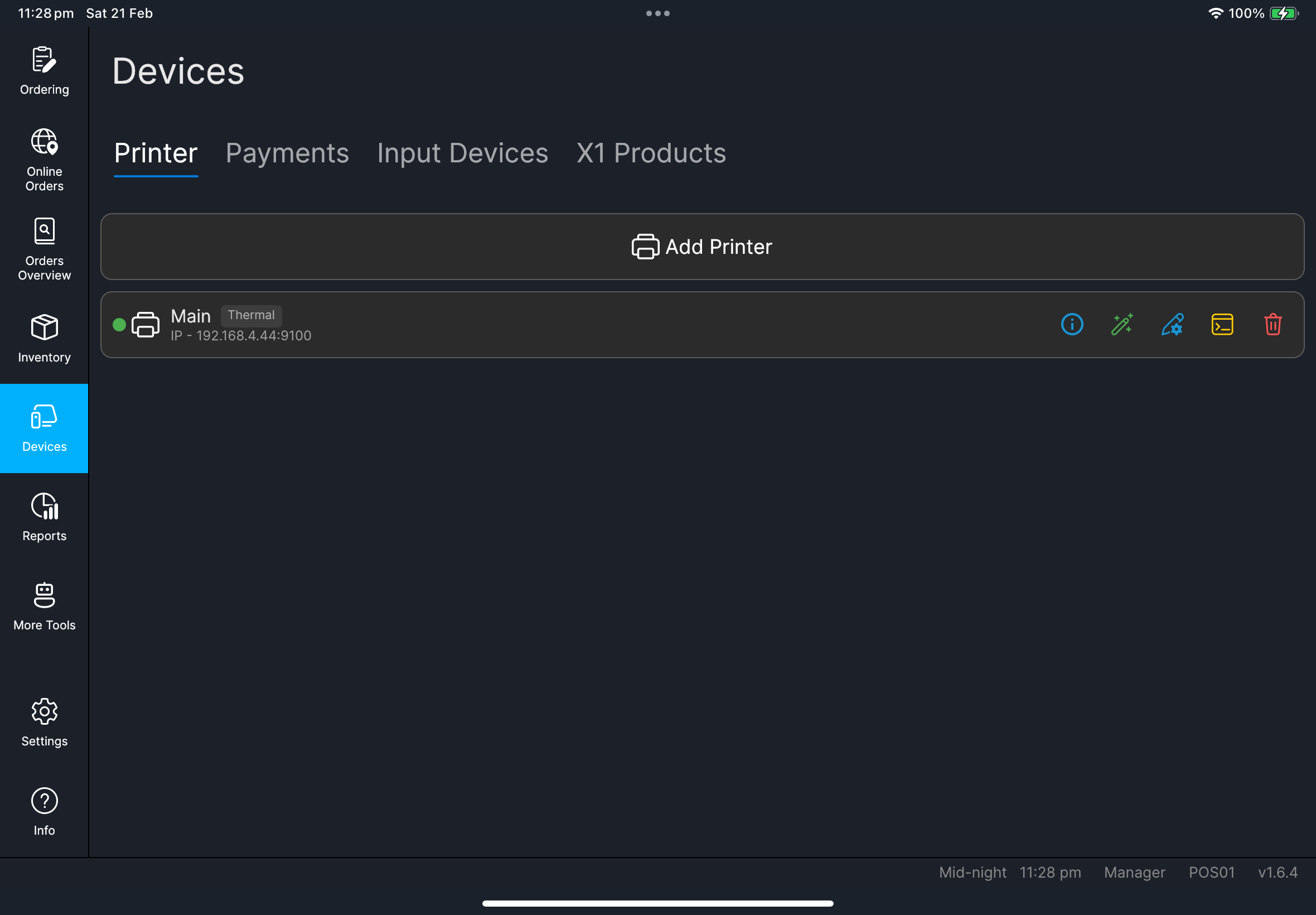
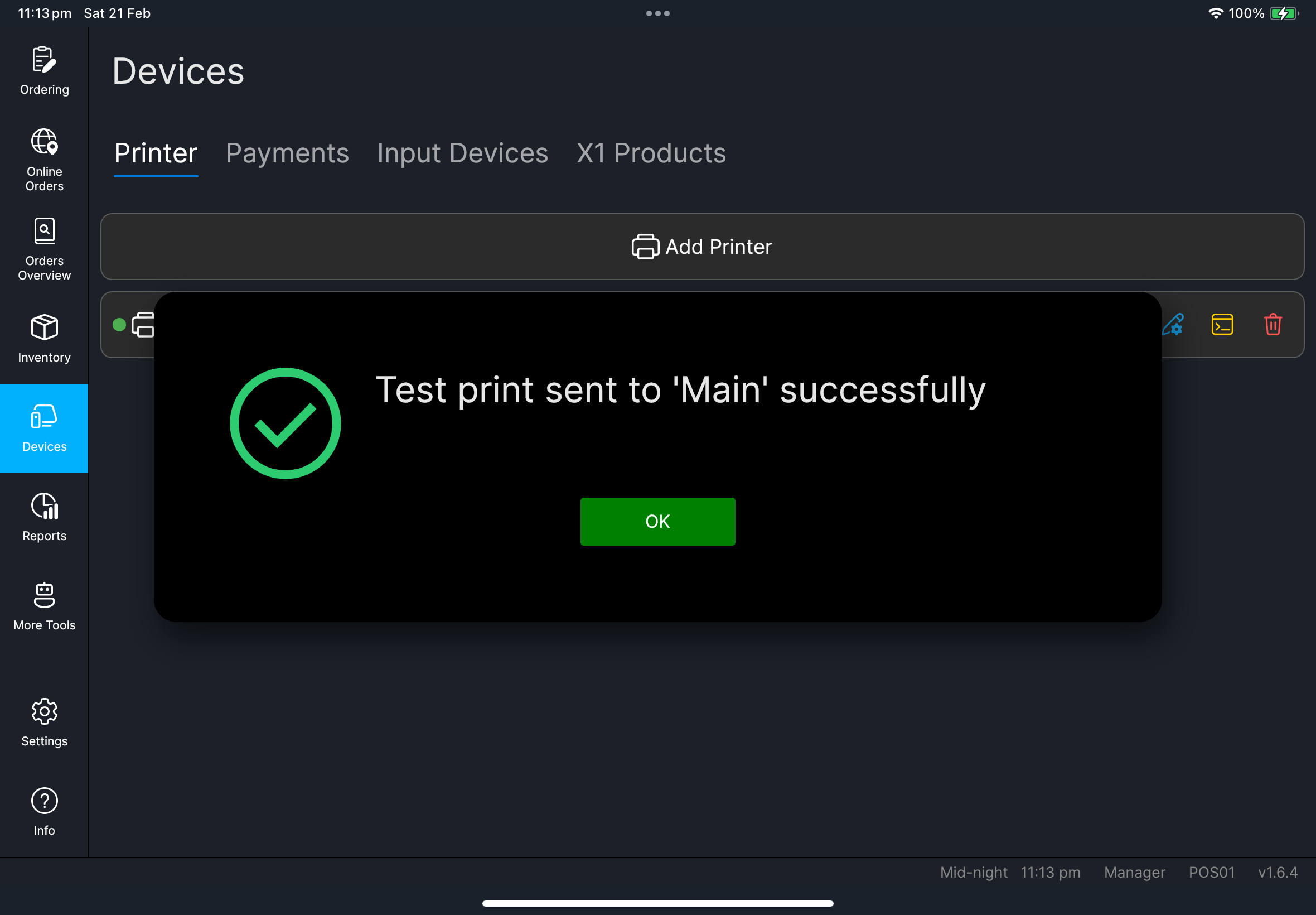
打印机选项卡。 - 在当前启用的打印机上点击
测试打印。 - 确认没有出现
需要收银机代码警告。 - 返回
点餐。
- 有考勤
- 无考勤
- 在登录画面点击
考勤。 - 点击
上班打卡。 - 继续正常登录。
- 如果没有显示考勤选项,直接继续正常登录。
- 不需要额外操作。
你应该会看到
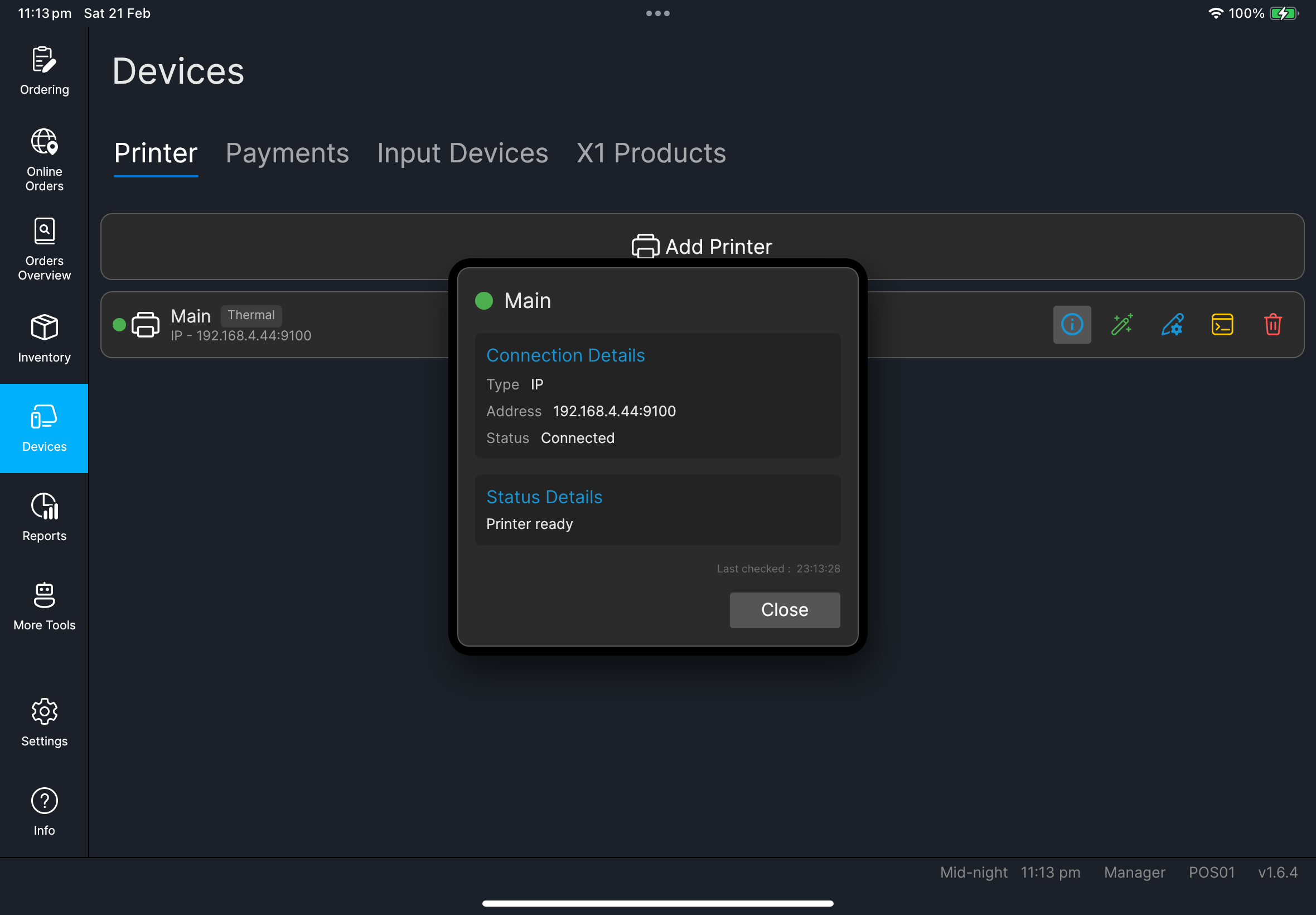
设备页面打开,打印机状态正常- 出现
测试打印成功消息 点餐页面正常载入桌台/订单画面
出现问题时
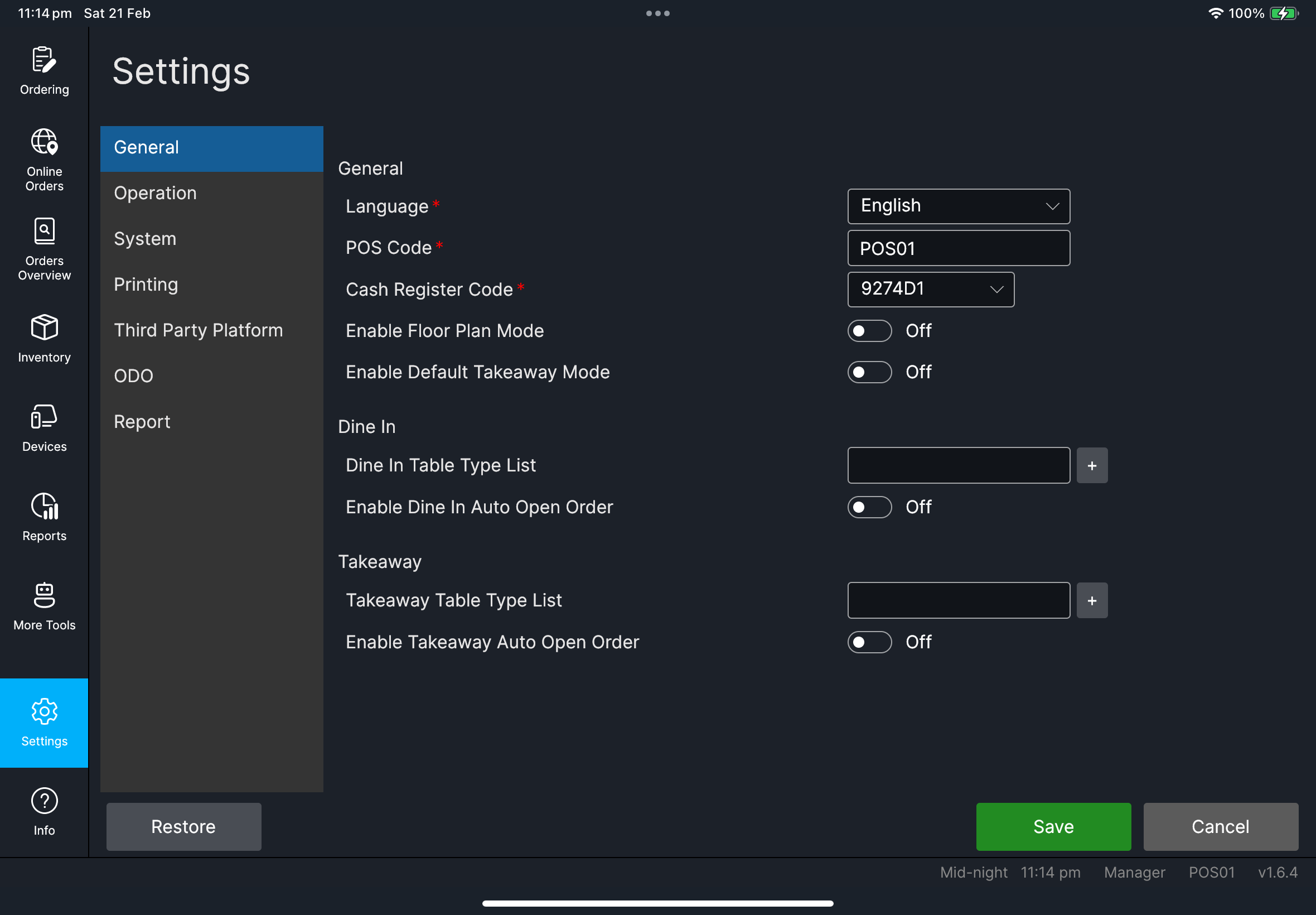
需要收银机代码打开 设置 -> 常规,填写 收银机代码,然后点击 保存。
打印机未就绪
先检查纸张、机盖和网络,然后再执行一次 测试打印。
何时找经理/管理员
- 你无法编辑设置(
收银机代码、系统字段) - 经过本地检查后打印机仍然失败
- 登录/订阅警告阻止你开班