儀表板
適用對象
需要查看每日整體營運狀況及已連線店舖狀態的店主及總經理。
開始前
- 確認你已登入正確的組織或品牌。
- 先決定你只是查看狀態,還是要找下一個要設定的 HQ 頁面。
開啟此頁面
開啟 Dashboard。
本頁用途
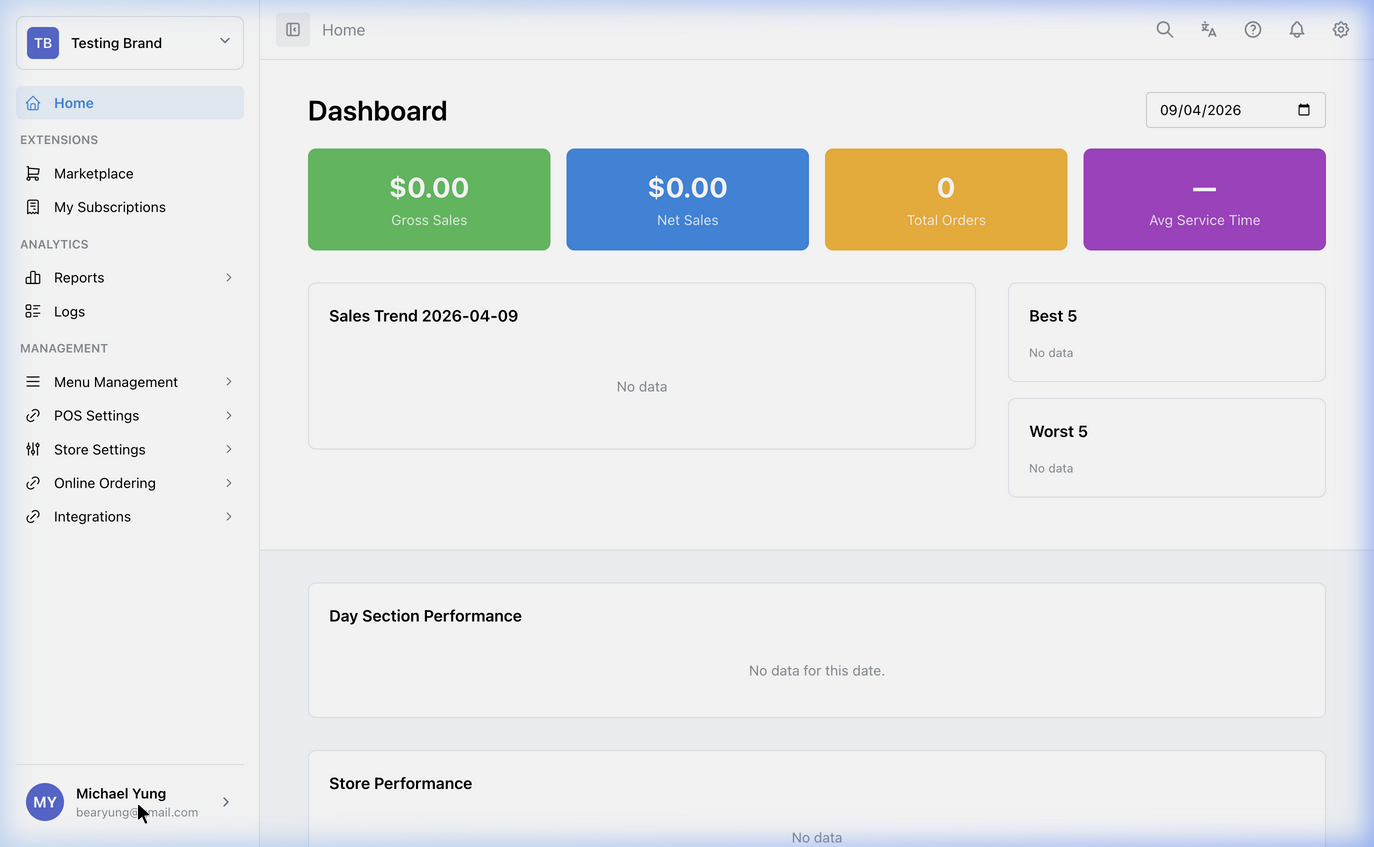
Dashboard 是登入 HQ 後的主頁。你可以在這裡查看高層級營運狀況,並快速前往下一個需要處理的設定區域。
主要分區
- 每日 KPI 卡:顯示所選日期的
Gross Sales、Net Sales、Total Orders及Avg Service Time。 - 表現圖表:顯示銷售趨勢、最佳/最差項目、店舖、分類、每小時、部門、付款方式及堂食/外帶資料。
- 頁首工具:搜尋、語言切換、支援、通知及設定。
- 工作區及品牌選擇器:左上角選擇器決定儀表板目前顯示的工作區及品牌。
如何使用本頁
使用儀表板判斷你下一步要進入哪個區塊:
- 前往 工作區管理 管理工作區成員、業務架構及 HQ 業務存取權
- 前往 店舖設定總覽 處理個別店舖設定
- 前往 POS 設定總覽 處理 POS 行為及付款設定
- 前往 菜單與目錄總覽 維護品項及菜單
- 前往 報表總覽 查看分析資料
如果你要更新自己的登入資料,或在不同公司/組織之間切換,可按導覽列上的個人頭像。
新工作區引導設定
如果工作區尚未有公司、品牌或店舖,HQ 會顯示設定提示,而不是儀表板指標。
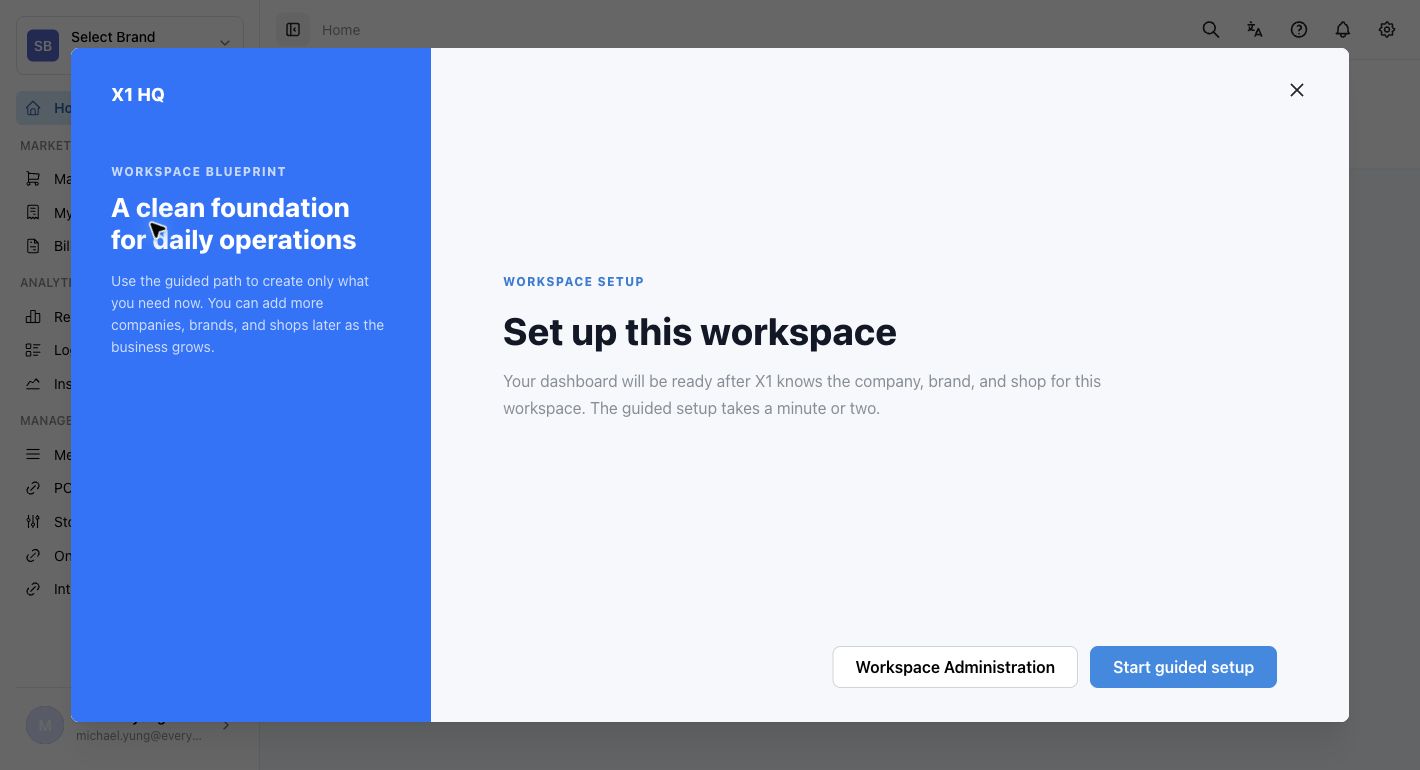
準備好建立第一個營運架構時,選擇 Start guided setup。如果想先檢查成員和存取權,選擇 Workspace Administration。
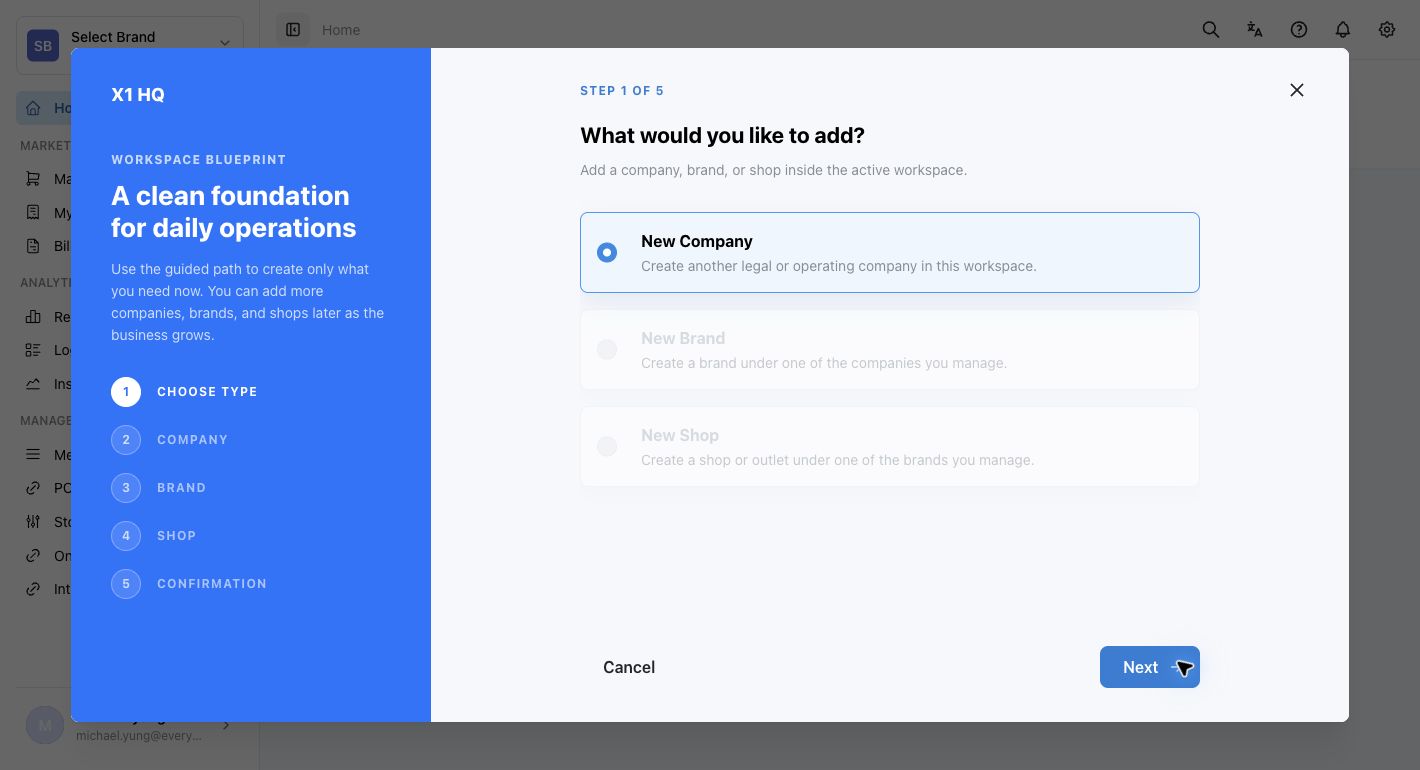
引導設定會從 What would you like to add? 開始,並依次處理 Choose Type、Company、Brand、Shop 及 Confirmation。
儲存後的影響
Dashboard 主要是監察及導覽頁面。本頁本身通常不會直接修改資料,而是幫你找出應該到哪個設定區域處理問題。
如發生問題
- 確認你目前所在的是正確的組織或品牌。
- 如果數字看起來不正確,先開啟相關報表或設定頁面,再決定是否要修改資料。
- 如果看到
Set up this workspace,先建立第一個公司、品牌及店舖,才會看到正常報表或 POS 設定資料。
何時要請店主/管理員協助
- 你找不到正確的品牌或組織。
- 儀表板顯示的店舖狀態或指標異常,而你未能判斷應由哪個區塊處理。