帳戶與個人檔案
適用對象
Any 使用者 who needs 到 更新 their HQ 登入 credentials, email address, or security 設定.
開始前
- 請確認 您 是 editing 您的 own account, not another 使用者's HQ 存取.
- Have any 需要 email or authentication 裝置 已準備好 之前 您 變更 security 設定.
開啟此頁面
開啟 您的 個人檔案 or account 菜單, 然後 開啟 Account or Profile.
本頁用途
使用本頁 到 manage 您的 own HQ 登入-於 詳細資料, 個人檔案 資訊, 及 security 設定.
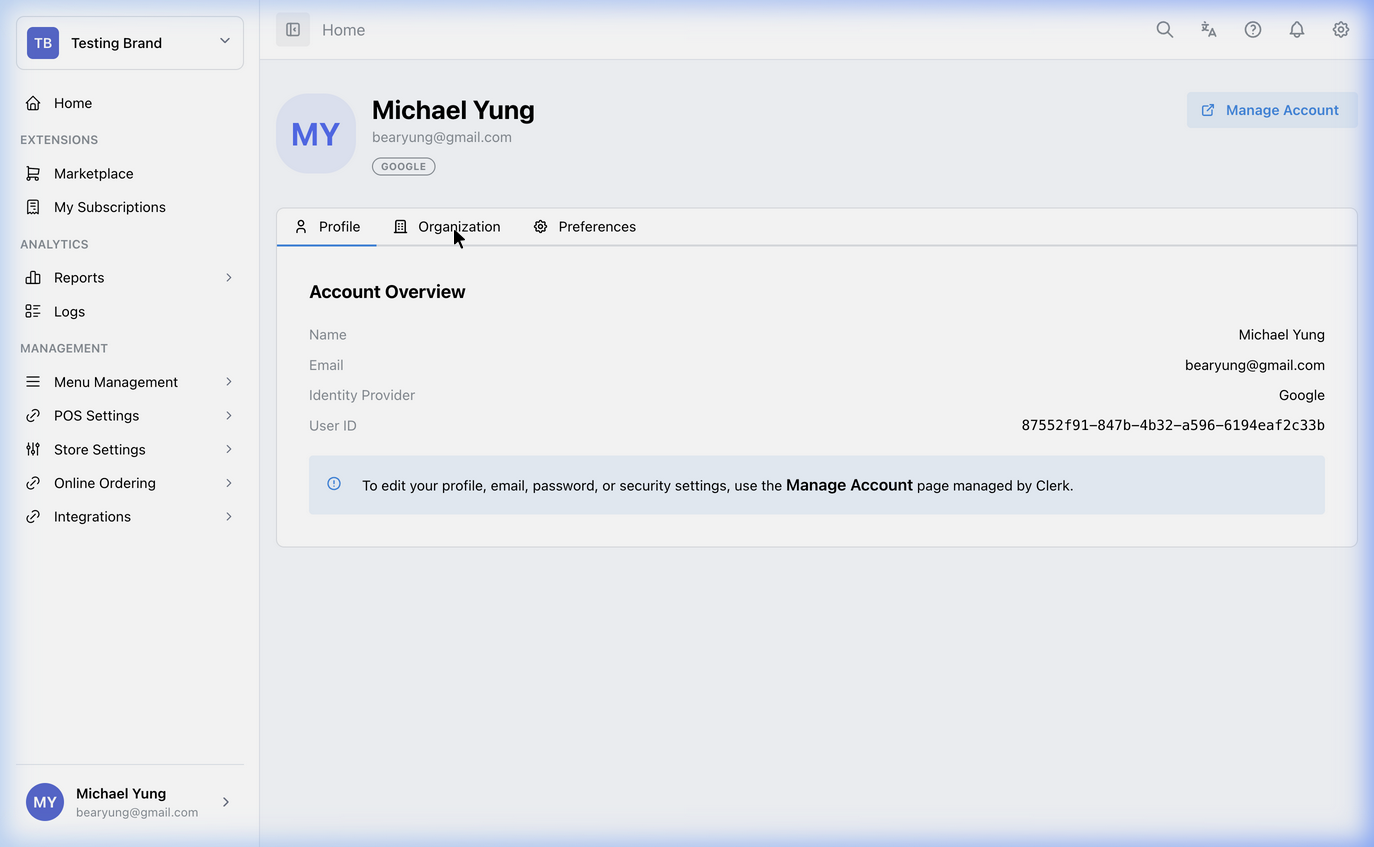
主要分區
個人檔案 資訊
您 可以 更新 您的 personal display name 及 個人檔案 picture here. These 詳細資料 affect 您的 HQ account, not the cashier-facing POS.
Email 及 登入
使用 the Email addresses 區塊 如果 您 需要 變更 the email 您 使用 到 登入 於. Verification may be 需要 之前 the 變更 takes effect.
Security 設定
使用 這 area 到 manage 密碼 及 multi-factor authentication 設定.
Keep 您的 account secure
Since the HQ portal has 存取 到 sensitive financial 報表 及 菜單 pricing, 您 應 ensure 您的 account 是 secured.
- Passwords: 更新 您的 登入 密碼 regularly.
- Two-Step Verification: Add a secondary authentication 方式 到 protect 您的 HQ 存取 against unauthorized logins.
切換工作區或品牌
如果你同時管理多個品牌或多間餐廳集團,請使用左上角的工作區及品牌選擇器切換範圍。如需管理工作區成員或 HQ 業務存取權,請使用 工作區管理。
儲存後的影響
These 變更 套用 到 您的 own HQ account. They 執行 not directly 變更 店舖 setup or POS 行為.
如何檢查你的變更
- 確認 the updated 個人檔案 詳細 是 可見 之後 saving.
- 如果 您 changed email or security 設定, 確認 the new 登入-於 方式 works 之前 您 登入 out everywhere else.
如發生問題
- 確認 您 changed 您的 own 個人檔案 及 not a separate member 記錄.
- 如果 登入-於 詳細資料 changed, verify the new email or authentication 方式 之前 retrying multiple times.
何時要請店主/管理員協助
- 您 無法 完成 email verification.
- 您 是 locked out of HQ 之後 changing 您的 account 設定.