跳至主要内容

Take Payment

Who this is for

Cashiers handling checkout.

Before you start

  • Order is ready for payment
  • Customer confirms payment method

Steps

  1. Tap Checkout.
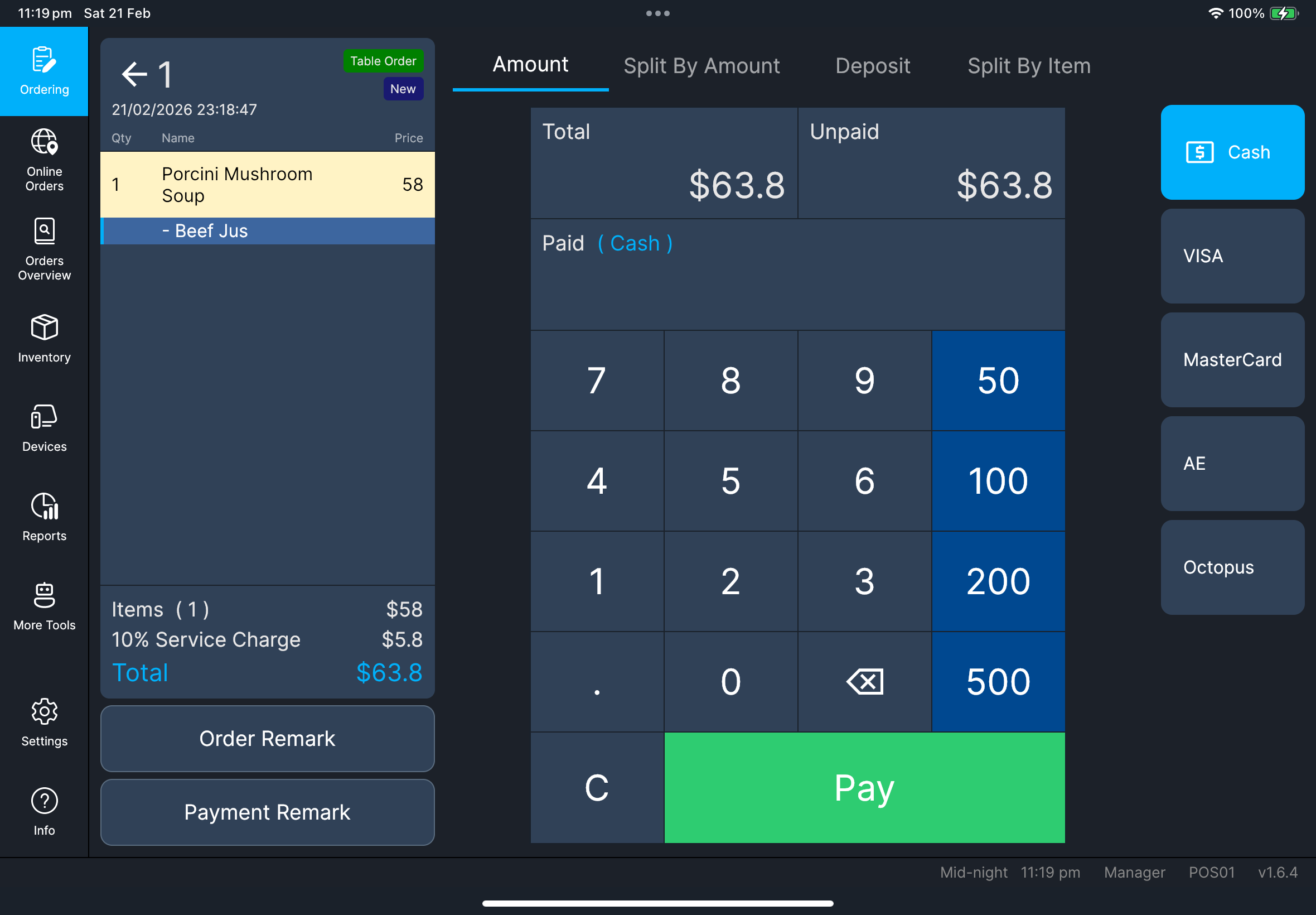
  2. Stay on Amount.
  3. Select payment method.
  4. Enter amount and tap Pay.

What you should see

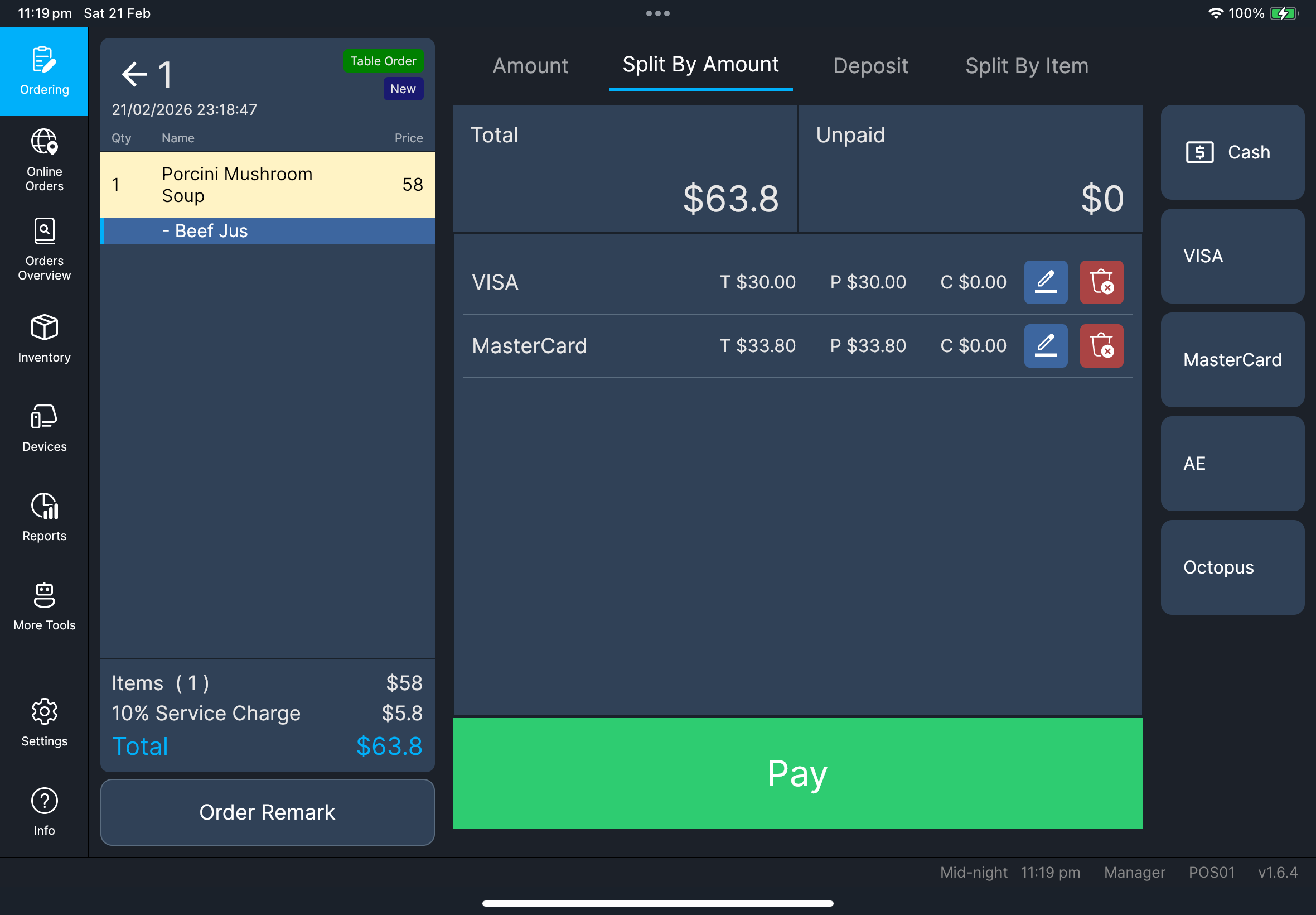
  • Unpaid amount decreases correctly
  • Paid lines are recorded by method

Checkout Amount tab Checkout Split By Amount

If something goes wrong

Payment failure

Retry once only if status is clearly failed/cancelled.

When to ask manager/admin

  • Payment outcome is unclear
  • Payment stays stuck or locked