跳到主要内容

Reopen Order

Who this is for

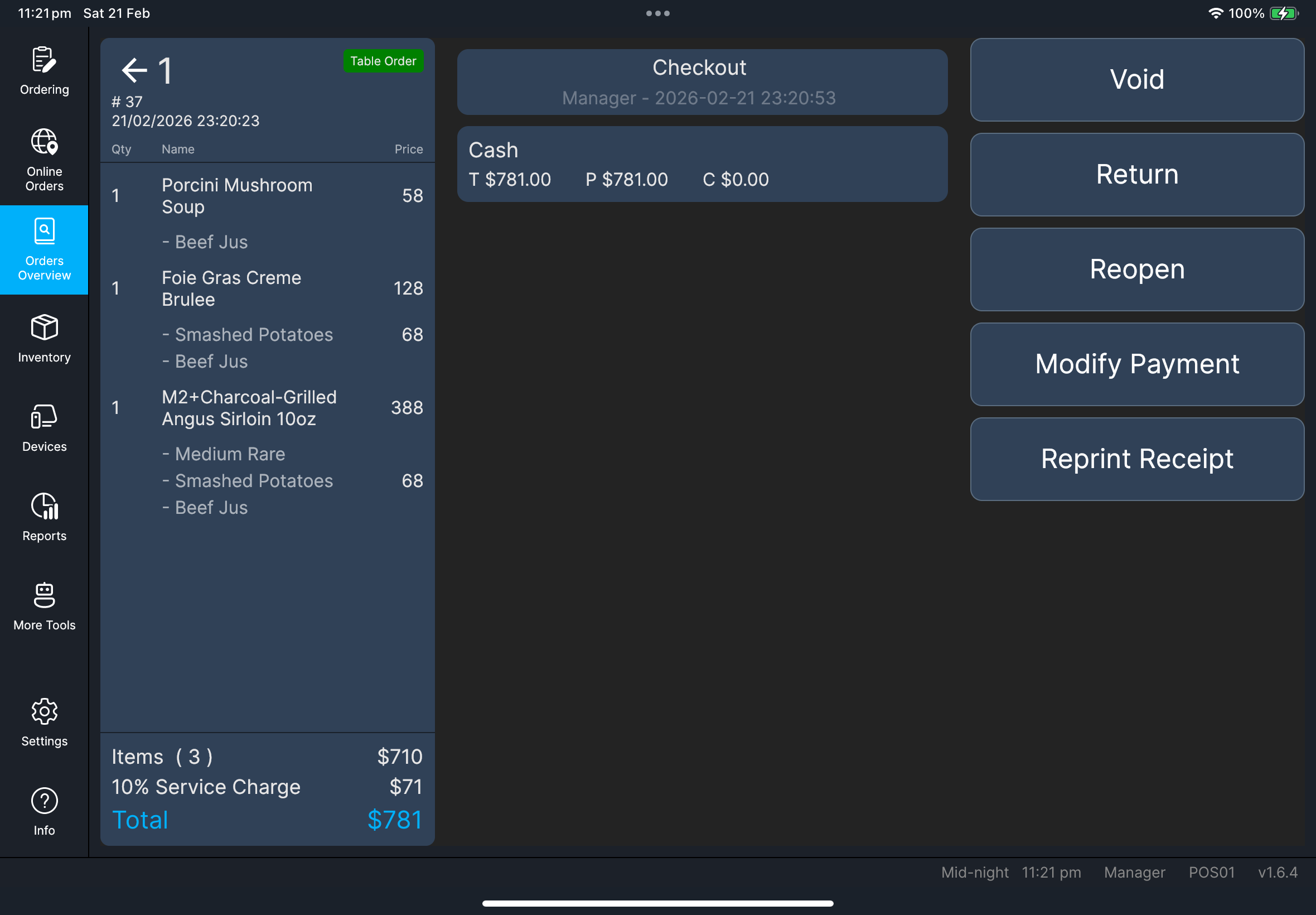
Authorized staff correcting a checked/completed transaction. Manager only: many stores restrict reopen actions by policy.

Before you start

  • Confirm the target transaction in Orders Overview.
  • Confirm customer/store approval for reopening.
  • Confirm payment status is clear before reopening.

Steps

  1. Tap Orders Overview.
  2. Select the target checked/completed transaction.
  3. On the Completed order panel, tap Reopen.
  4. When Confirm to reopen the Txn? appears, tap OK.
  5. If an extra table prompt appears, follow your store policy (store-configuration dependent).
  6. Continue editing the reopened order in Ordering.

What you should see

  • The transaction returns to an editable order state.
  • You are taken back to the order screen to continue changes.

Completed order actions

Screenshot pending: fn-reopen-order-confirm-dialog.png

If something goes wrong

  • If you see Unable to reopen order, stop and retry once only.
  • If a third-party payment warning appears, confirm with manager before continuing.
  • If reopen does not proceed after confirmation, keep the transaction ID and escalate.

When to ask manager/admin

  • Third-party payment warnings are unclear.
  • Reopen is blocked after retry.
  • Policy approval is needed before editing a completed transaction.